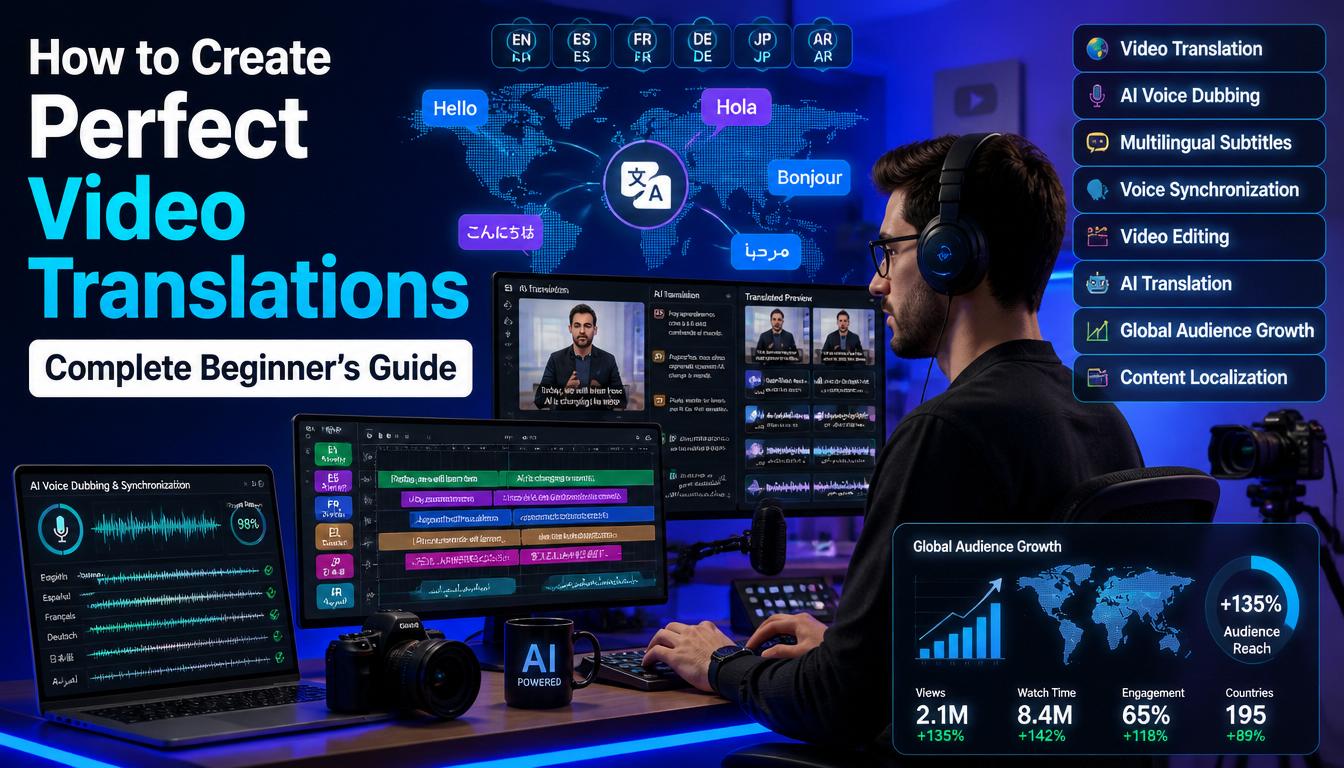
Have you ever watched a great video but couldn’t understand a single word because it was in another language? Now imagine someone on the other side of the world feeling the same way about your videos. That’s where video translation comes in.
Today, creators, businesses, teachers, and marketers are reaching millions of new viewers simply by translating their videos into different languages. The good news? You no longer need a big budget or a team of translators. Thanks to modern AI video translation tools, the process is faster, easier, and more affordable than ever.
In this guide, you’ll learn how to create perfect video translations, choose the right tools, avoid common mistakes, and make your videos feel natural to viewers from different countries. Whether you’re translating YouTube videos, online courses, marketing content, or social media clips, this guide will help you get professional-looking results.
Video translation is the process of changing the spoken language in a video into another language while keeping the original message clear and natural.
This can be done in several ways:
Instead of creating separate videos for every country, you can translate one video into many languages and reach a much larger audience.
The internet has removed borders. People from almost every country watch videos every day. If your content is only available in one language, you’re missing a huge opportunity. Here are some of the biggest benefits of multilingual video content:
For businesses, video translation can open doors to entirely new markets. For creators, it can mean more subscribers, more watch time, and more revenue.
Almost anyone who creates videos can benefit from translation.
This includes:
If your goal is to reach more people, video translation is one of the smartest investments you can make.
You’ve spent hours creating an amazing video. The editing is great. The message is valuable. But almost all of your viewers speak the same language. That limits your growth.
Think about it. Someone in Spain, Brazil, Germany, Japan, or India might love your content but they can’t understand it.
As a result:
Your hard work reaches only a small percentage of the people who could benefit from it.
Translate your videos. With today’s AI dubbing tools, subtitle translation, and video translation software, you can publish multilingual content in just a few hours instead of several weeks.
The result?
Creating professional translations isn’t just about changing words from one language into another. It’s about making viewers feel like the video was originally made for them. Follow these steps.
Everything begins with your original recording. If your audio isn’t clear, even the best automatic video translation software will struggle.
Before translating, make sure your video has:
A clean recording leads to more accurate speech recognition, better subtitles, and higher-quality AI dubbing.
The next step is converting your speech into text. This transcript becomes the foundation for everything that follows. Many AI tools can automatically generate transcripts within minutes. However, don’t assume they’re perfect. Always review your transcript carefully.
Check for:
Even small errors can affect the quality of the final translation. A few minutes of editing now can save hours of corrections later.
One common mistake is translating into every language available. Instead, focus on the languages your audience actually speaks.
Ask yourself:
For example:
Starting with your top two or three languages often delivers the best return on your time and budget.
The tool you choose can make a huge difference in translation quality.
Look for software that offers:
The best platforms also allow you to review and edit translations before publishing, giving you more control over the final result. Remember, no AI tool is perfect. Human review is still one of the most important parts of creating professional video translations.
Once your transcript is ready, it’s time to translate it. This is where many beginners make a critical mistake. They translate every sentence word for word. But good translation isn’t about replacing words, it’s about preserving meaning.
For example, jokes, idioms, and cultural references often don’t translate well. Instead, adapt them so they make sense to people in the target language.
As you review the translated script, ask yourself:
A translation that feels natural is always more effective than one that’s technically accurate but difficult to understand.
Now that your script has been translated, decide how you want your audience to experience your video. The two most popular options are subtitles and AI dubbing. Each has its own strengths.
Subtitles display translated text at the bottom of the screen while the original audio continues playing.
Best for:
Pros
Cons
AI dubbing replaces the original speech with a translated voice. Modern AI tools can produce voices that sound surprisingly natural.
Best for:
Pros
Cons
In many cases, using both subtitles and AI dubbing provides the best viewing experience.
A perfect translation isn’t just about the words, it also needs to match what’s happening on screen. Imagine hearing a sentence after the speaker’s lips have already stopped moving. It feels strange and unprofessional.
When syncing your translated audio, check that:
Many video translation software platforms include automatic syncing, but it’s always worth reviewing the final result manually.
Even if AI creates your subtitles automatically, don’t publish them without checking.
Look for:
Subtitle Best Practices
Well-designed subtitles improve both readability and viewer retention.
This is one of the most overlooked steps and one of the most valuable. If possible, ask a native speaker to watch your translated video.
They can quickly spot:
Even a five-minute review can dramatically improve the quality of your content. If you don’t know a native speaker personally, consider hiring a freelancer for a quick proofreading session. It’s often a worthwhile investment.
Once your video is ready, it’s time to publish. But don’t stop there. Monitor how your translated content performs.
Pay attention to:
These metrics will help you understand which languages and translation styles work best for your audience. Over time, you’ll improve with every new video.
If you want your videos to stand out, follow these proven practices:
Small improvements can make a big difference in how professional your videos feel.
Many creators rely too heavily on automation. While AI is incredibly helpful, it isn’t perfect. Avoid these common mistakes:
Humor, slang, and idioms don’t always translate well.
Adapt your message so it feels natural to the target audience.
Poor audio leads to inaccurate transcripts and weak translations.
Always start with clean recordings.
AI is fast.
Humans catch the details.
Always proofread before publishing.
Start with the languages that matter most to your audience.
Expand gradually as your channel or business grows.
A few years ago, translating a single video could take days or even weeks.
Today, AI can:
This means creators of all sizes can compete globally without hiring large translation teams. Still, AI works best when combined with human review. The most polished videos are usually the result of both technology and careful editing.
For most creators and businesses, the answer is yes. If your goal is to reach more people, improve accessibility, or grow internationally, video translation can deliver excellent value.
Benefits include:
The sooner you start translating your content, the sooner you can begin connecting with viewers who would otherwise never discover your work.
It depends on your audience and goals.
Many creators use both to provide the best viewing experience.
Some of the most popular tools include:
The best choice depends on your budget, preferred features, and the type of videos you create.
To create professional-quality translations:
These small steps can make a big difference in the final result.
AI-powered video translation has made it easier and more affordable than ever to reach a global audience. By combining accurate translations, subtitles, and localization, you can make your content accessible and engaging for viewers worldwide. Starting with clear audio, reviewing AI-generated translations, and performing a final quality check will ensure professional results. Whether you’re a content creator, educator, marketer, or business owner, translating your videos can increase your reach, boost engagement, and help grow your brand. Start with one of your best-performing videos and let your content connect with audiences across different languages and cultures.
By following this guide on How to Create Perfect Video Translations, you’ve learned how to:
Now it’s your turn. Start translating your videos today, and open the door to millions of potential viewers around the world. Every language you add is another opportunity to grow.
Today, creators, businesses, teachers, and marketers are reaching millions of new viewers simply by translating their videos into different languages. The good news? You no longer need a big budget or a team of translators. Thanks to modern AI video translation tools, the process is faster, easier, and more affordable than ever.
In this guide, you’ll learn how to create perfect video translations, choose the right tools, avoid common mistakes, and make your videos feel natural to viewers from different countries. Whether you’re translating YouTube videos, online courses, marketing content, or social media clips, this guide will help you get professional-looking results.
What Is Video Translation?
Video translation is the process of changing the spoken language in a video into another language while keeping the original message clear and natural.
This can be done in several ways:
- Subtitles: Text appears on the screen in another language.
- Dubbing: The original voice is replaced with a translated voice.
- AI Voice Translation: Artificial intelligence translates and generates a new voice automatically.
- Video Localization: Adapts the content to match another country’s language and culture.
Instead of creating separate videos for every country, you can translate one video into many languages and reach a much larger audience.
Why Video Translation Is More Important Than Ever
The internet has removed borders. People from almost every country watch videos every day. If your content is only available in one language, you’re missing a huge opportunity. Here are some of the biggest benefits of multilingual video content:
- Reach viewers from around the world.
- Grow your YouTube channel faster.
- Increase website traffic.
- Improve audience engagement.
- Build trust with international customers.
- Make your content accessible to more people.
- Increase sales and conversions.
For businesses, video translation can open doors to entirely new markets. For creators, it can mean more subscribers, more watch time, and more revenue.
Who Should Translate Their Videos?
Almost anyone who creates videos can benefit from translation.
This includes:
- YouTube creators
- Digital marketers
- Online teachers
- Businesses
- Coaches and consultants
- Course creators
- Podcasters
- Social media influencers
- Software companies
- Non-profit organizations
If your goal is to reach more people, video translation is one of the smartest investments you can make.
The Problem Most Creators Face (PAS Framework)
Problem
You’ve spent hours creating an amazing video. The editing is great. The message is valuable. But almost all of your viewers speak the same language. That limits your growth.
Agitate
Think about it. Someone in Spain, Brazil, Germany, Japan, or India might love your content but they can’t understand it.
As a result:
- They stop watching.
- They leave your channel.
- They never become subscribers.
- They never buy your products or services.
Your hard work reaches only a small percentage of the people who could benefit from it.
Solution
Translate your videos. With today’s AI dubbing tools, subtitle translation, and video translation software, you can publish multilingual content in just a few hours instead of several weeks.
The result?
- More viewers.
- More engagement.
- More subscribers.
- More customers.
How to Create Perfect Video Translations
Creating professional translations isn’t just about changing words from one language into another. It’s about making viewers feel like the video was originally made for them. Follow these steps.
Step 1: Start with a Clear, High-Quality Video
Everything begins with your original recording. If your audio isn’t clear, even the best automatic video translation software will struggle.
Before translating, make sure your video has:
- Clear speech
- Minimal background noise
- Good microphone quality
- Correct pronunciation
- Natural speaking pace
A clean recording leads to more accurate speech recognition, better subtitles, and higher-quality AI dubbing.
Step 2: Create an Accurate Transcript
The next step is converting your speech into text. This transcript becomes the foundation for everything that follows. Many AI tools can automatically generate transcripts within minutes. However, don’t assume they’re perfect. Always review your transcript carefully.
Check for:
- Misspelled words
- Incorrect names
- Numbers
- Dates
- Brand names
- Technical terms
- Punctuation mistakes
Even small errors can affect the quality of the final translation. A few minutes of editing now can save hours of corrections later.
Step 3: Choose the Right Languages
One common mistake is translating into every language available. Instead, focus on the languages your audience actually speaks.
Ask yourself:
- Where are most of my viewers located?
- Which countries are growing the fastest?
- Which languages fit my business goals?
For example:
- English
- Spanish
- Portuguese
- French
- German
- Arabic
- Hindi
- Japanese
- Korean
- Chinese
Starting with your top two or three languages often delivers the best return on your time and budget.
Step 4: Select the Best Video Translation Software
The tool you choose can make a huge difference in translation quality.
Look for software that offers:
- Accurate speech recognition
- Natural AI voices
- Multiple language options
- Subtitle editing
- Voice synchronization
- Easy exporting
- Fast processing
- High-quality translations
The best platforms also allow you to review and edit translations before publishing, giving you more control over the final result. Remember, no AI tool is perfect. Human review is still one of the most important parts of creating professional video translations.
Step 5: Translate the Script Carefully
Once your transcript is ready, it’s time to translate it. This is where many beginners make a critical mistake. They translate every sentence word for word. But good translation isn’t about replacing words, it’s about preserving meaning.
For example, jokes, idioms, and cultural references often don’t translate well. Instead, adapt them so they make sense to people in the target language.
As you review the translated script, ask yourself:
- Does it sound natural?
- Would a native speaker understand it easily?
- Does it keep the same tone and emotion as the original?
- Are any phrases awkward or confusing?
A translation that feels natural is always more effective than one that’s technically accurate but difficult to understand.
Step 6: Choose Between Subtitles and AI Dubbing
Now that your script has been translated, decide how you want your audience to experience your video. The two most popular options are subtitles and AI dubbing. Each has its own strengths.
Option 1: Subtitles
Subtitles display translated text at the bottom of the screen while the original audio continues playing.
Best for:
- YouTube videos
- Tutorials
- Interviews
- Educational content
- Budget-friendly projects
Pros
- Fast to create
- Low cost
- Keeps the speaker’s original voice
- Easy to update later
Cons
- Viewers must read while watching
- Can distract from fast-moving visuals
Option 2: AI Dubbing
AI dubbing replaces the original speech with a translated voice. Modern AI tools can produce voices that sound surprisingly natural.
Best for:
- Training videos
- Marketing videos
- Online courses
- Product demonstrations
- Business presentations
Pros
- More immersive experience
- Easier for viewers who don’t like reading subtitles
- Feels more local to the audience
Cons
- Requires more editing
- Voice timing may need adjustment
- Quality varies between tools
In many cases, using both subtitles and AI dubbing provides the best viewing experience.
Step 7: Sync the Audio with the Video
A perfect translation isn’t just about the words, it also needs to match what’s happening on screen. Imagine hearing a sentence after the speaker’s lips have already stopped moving. It feels strange and unprofessional.
When syncing your translated audio, check that:
- Speech starts at the right moment.
- Sentences finish naturally.
- Pauses match the original video.
- Background music doesn’t overpower the voice.
Many video translation software platforms include automatic syncing, but it’s always worth reviewing the final result manually.
Step 8: Review Every Subtitle
Even if AI creates your subtitles automatically, don’t publish them without checking.
Look for:
- Spelling mistakes
- Grammar errors
- Incorrect punctuation
- Poor timing
- Text that’s too long
- Missing words
Subtitle Best Practices
- Keep each subtitle to one or two lines.
- Display text long enough to read comfortably.
- Avoid covering important visuals.
- Use clear, easy-to-read fonts.
- Break long sentences into smaller parts.
Well-designed subtitles improve both readability and viewer retention.
Step 9: Test with Native Speakers
This is one of the most overlooked steps and one of the most valuable. If possible, ask a native speaker to watch your translated video.
They can quickly spot:
- Unnatural wording
- Cultural misunderstandings
- Awkward expressions
- Incorrect pronunciation
- Translation errors
Even a five-minute review can dramatically improve the quality of your content. If you don’t know a native speaker personally, consider hiring a freelancer for a quick proofreading session. It’s often a worthwhile investment.
Step 10: Publish and Track Performance
Once your video is ready, it’s time to publish. But don’t stop there. Monitor how your translated content performs.
Pay attention to:
- Watch time
- Audience retention
- Likes and comments
- Shares
- Click-through rate
- Subscriber growth
- Conversion rate
These metrics will help you understand which languages and translation styles work best for your audience. Over time, you’ll improve with every new video.
Best Practices for Perfect Video Translations
If you want your videos to stand out, follow these proven practices:
- Speak clearly when recording the original video.
- Use professional microphones whenever possible.
- Review AI translations manually.
- Keep your language simple and direct.
- Adapt cultural references instead of translating them literally.
- Maintain a consistent tone across all languages.
- Update translations if the original video changes.
- Always test before publishing.
Small improvements can make a big difference in how professional your videos feel.
Common Mistakes to Avoid
Many creators rely too heavily on automation. While AI is incredibly helpful, it isn’t perfect. Avoid these common mistakes:
- Translating Word for Word
- Literal translations often sound unnatural.
- Focus on meaning, not individual words.
Ignoring Cultural Differences
Humor, slang, and idioms don’t always translate well.
Adapt your message so it feels natural to the target audience.
Using Low-Quality Audio
Poor audio leads to inaccurate transcripts and weak translations.
Always start with clean recordings.
Skipping Human Review
AI is fast.
Humans catch the details.
Always proofread before publishing.
Choosing Too Many Languages at Once
Start with the languages that matter most to your audience.
Expand gradually as your channel or business grows.
Comparison of Popular AI Video Translation Tools
| Tool | Best For | AI Dubbing | Subtitle Translation | Ease of Use |
| HeyGen | Talking-head videos | ✅ | ✅ | Very Easy |
| ElevenLabs | Natural AI voices | ✅ | Limited | Easy |
| Rask AI | Content creators | ✅ | ✅ | Easy |
| VEED.io | Social media videos | Optional | ✅ | Very Easy |
| Kapwing | Beginners | Optional | ✅ | Very Easy |
| Descript | Podcasts & tutorials | ✅ | ✅ | Easy |
How AI Is Changing Video Translation
A few years ago, translating a single video could take days or even weeks.
Today, AI can:
- Generate transcripts in minutes.
- Translate into dozens of languages.
- Create realistic AI voices.
- Sync audio automatically.
- Generate subtitles instantly.
- Speed up editing workflows.
This means creators of all sizes can compete globally without hiring large translation teams. Still, AI works best when combined with human review. The most polished videos are usually the result of both technology and careful editing.
Is AI Video Translation Worth It?
For most creators and businesses, the answer is yes. If your goal is to reach more people, improve accessibility, or grow internationally, video translation can deliver excellent value.
Benefits include:
- A larger global audience
- Better viewer engagement
- Higher watch time
- Improved accessibility
- More opportunities for growth
- Increased brand awareness
- Greater earning potential
The sooner you start translating your content, the sooner you can begin connecting with viewers who would otherwise never discover your work.
Frequently Asked Questions (FAQs)
1. What is video translation?
Video translation is the process of converting the spoken language in a video into another language. This can be done using subtitles, AI voice translation, dubbing, or a combination of these methods to make the content accessible to a wider audience.2. What is the difference between video translation and video localization?
Video translation focuses on converting one language into another. Video localization goes a step further by adapting the content to match the culture, expressions, humor, and preferences of the target audience. Localization helps videos feel more natural and relatable.3. Can AI translate videos accurately?
Yes, modern AI tools can produce highly accurate translations, especially for clear and well-recorded audio. However, AI isn’t perfect. It’s always a good idea to review the translated script and subtitles before publishing to catch any mistakes or awkward phrasing.4. Should I use subtitles or AI dubbing?
It depends on your audience and goals.
- Subtitles are affordable, quick to create, and preserve the speaker’s original voice.
- AI dubbing offers a more immersive experience by replacing the original speech with a translated voice.
Many creators use both to provide the best viewing experience.
5. What are the best AI video translation tools?
Some of the most popular tools include:
- HeyGen
- Rask AI
- ElevenLabs
- io
- Kapwing
- Descript
The best choice depends on your budget, preferred features, and the type of videos you create.
6. How many languages should I translate my videos into?
Start with two or three languages that match your audience. Check your analytics to see where your viewers are located, then expand gradually as your international audience grows.7. Does video translation help with SEO?
Yes. Translated titles, descriptions, captions, and subtitles can help your videos appear in search results for different languages. This increases visibility, attracts new viewers, and can drive more traffic to your content.8. Can I translate YouTube videos automatically?
Yes. Many AI-powered platforms allow you to upload a YouTube video or its transcript, generate translations, create subtitles, and even produce AI-dubbed versions in multiple languages.9. How can I improve the quality of my video translations?
To create professional-quality translations:
- Record clear audio.
- Review the transcript carefully.
- Edit AI-generated translations.
- Test with native speakers when possible.
- Synchronize subtitles and audio accurately.
- Keep the language simple and natural.
These small steps can make a big difference in the final result.
10. Is video translation worth it for small creators?
Absolutely. Even if you’re just starting, translating your videos can help you reach viewers from different countries, increase watch time, grow your subscriber base, and create new opportunities without producing entirely new content.Conclusion
AI-powered video translation has made it easier and more affordable than ever to reach a global audience. By combining accurate translations, subtitles, and localization, you can make your content accessible and engaging for viewers worldwide. Starting with clear audio, reviewing AI-generated translations, and performing a final quality check will ensure professional results. Whether you’re a content creator, educator, marketer, or business owner, translating your videos can increase your reach, boost engagement, and help grow your brand. Start with one of your best-performing videos and let your content connect with audiences across different languages and cultures.
Final Thoughts
By following this guide on How to Create Perfect Video Translations, you’ve learned how to:
- Create accurate transcripts.
- Choose the right languages.
- Use AI translation and dubbing effectively.
- Produce readable subtitles.
- Avoid common translation mistakes.
- Select the best tools for your needs.
- Optimize your videos for a global audience.
Now it’s your turn. Start translating your videos today, and open the door to millions of potential viewers around the world. Every language you add is another opportunity to grow.