How to Start a Faceless YouTube Channel (Step-by-Step Guide)
Introduction
Want to start a YouTube channel but don’t want to show your face? You’re not alone. Many beginners feel shy, want to stay private, or simply prefer not to appear on camera. The good news is that you can still build a successful YouTube channel without ever showing your face.
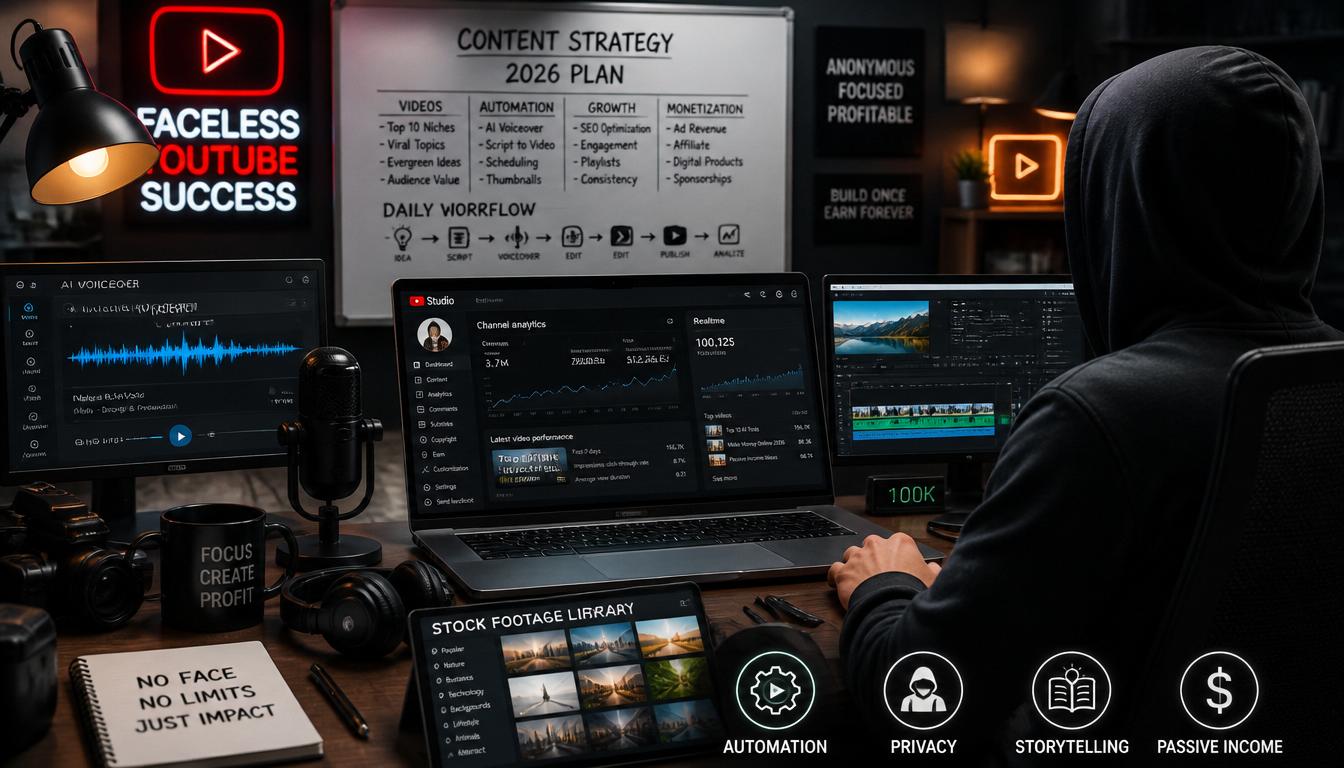
Faceless YouTube channels are very popular today. They use voiceovers, stock videos, animations, or simple visuals instead of showing the creator on screen. You’ve probably already watched channels like motivational videos, top 10 facts, or educational explainers without even realizing they were faceless.
The interesting part is that many of these channels earn a good income every month. With the right content and consistency, even beginners can grow a channel and reach a large audience.
This guide will show you step-by-step how to start a faceless YouTube channel, even if you have no experience, no camera, and no technical skills.
What Is a Faceless YouTube Channel?
A faceless YouTube channel is a channel where:
- You don’t appear on camera
- You use voiceovers, stock footage, animations, or text
- The focus is on content, not personality
Examples of Faceless Content:
- Motivational videos
- Top 10 lists
- Educational explainers
- Storytelling videos
- Gaming content
- Relaxing music or sounds
Why Start a Faceless YouTube Channel?
Here’s why many beginners prefer this model:
- No camera anxiety
- More privacy
- Faster content creation
- Easier to outsource later
- Low startup cost
Step-by-Step: How to Start a Faceless YouTube Channel
1. Pick a Niche (This Is Critical)
Don’t skip this step because your niche decides your channel’s future. A niche is simply the main topic your channel will focus on. If you choose the right one, growth becomes much easier. If you choose randomly, you may struggle to get views.
For beginners, it’s best to go for simple and evergreen topics that people search for every day.
Good beginner niches include:
- Personal finance (saving money, earning online)
- Tech tutorials (apps, tools, AI)
- Health and fitness tips
- Facts and educational content
- Motivation and success stories
- AI tools and automation
Always pick a niche that has high search demand but low to medium competition, so your videos have a better chance to rank and get views.
2. Choose Your Content Style
Once your niche is selected, the next step is deciding how your videos will look and feel. Since it’s a faceless channel, your content style will replace your on-camera presence.
There are several easy formats you can use:
Popular faceless video styles:
- Voiceover with stock footage (most popular)
- Text-based videos (simple and beginner-friendly)
- AI voice narration (no need to record your voice)
- Screen recordings (great for tutorials)
- Slideshows with images and music
You can even mix styles depending on the video. The key is to keep it simple and engaging, not complicated.
3. Write Simple, Engaging Scripts
Your script is the heart of your video. Even with great visuals, a weak script will fail to hold attention. The goal is to make your content easy to follow and interesting from start to finish.
Keep your script:
- Short and clear
- Easy to understand
- Focused on delivering value quickly
Avoid long, boring explanations. Instead, break your ideas into small, simple points.
If a 12-year-old can understand it easily, you’re doing it right.” A strong script keeps viewers watching longer, which helps your videos grow faster on YouTube.
4. Create Your Videos
You don’t need expensive equipment or a professional setup to start making videos. In fact, most successful faceless creators begin with very simple tools and improve over time.
Basic Tools You Can Use:
- Video editing apps like CapCut or Canva
- Free or paid stock footage websites
- Built-in screen recorders on your phone or computer
These tools are more than enough to create professional-looking videos as a beginner. What You’ll Do in Each Video:
- Add a voiceover (you can use your own voice or AI voice tools)
- Add visuals like clips, images, or animations
- Add subtitles to make your content more engaging and easy to follow
The goal is not perfection, it’s clarity and consistency. Keep your videos clean, simple, and easy to watch.
5. Optimize for SEO (Very Important)
If you want people to actually find your videos, SEO is extremely important. Without it, even good content can get lost. YouTube SEO simply means using the right words so your video shows up in search results. Use Your Keywords Smartly.
Your primary keyword is:
how to start a faceless YouTube channel
Where to Use It:
- Video title
- Description
- Tags
Example Title:
“How to Start a Faceless YouTube Channel for Beginners (Step-by-Step)”
Don’t overstuff keywords. Use them naturally so the title still sounds human and clickable.
6. Upload Consistently
Consistency is more important than perfection on YouTube. Many beginners fail because they upload randomly or give up too early. Instead, focus on building a habit.
Start With:
- 2-3 videos per week
This helps YouTube understand your channel and pushes your content to more viewers.
Over Time:
- Improve your video quality step by step
- Learn which topics perform better
- Adjust your style based on audience response
Remember, growth on YouTube is a process, not an overnight success.
7. Monetize Your Channel
Once your channel starts growing, there are several ways to earn money from it.
Common Monetization Methods:
- YouTube ads (through the YouTube Partner Program)
- Affiliate marketing (earning commission by recommending products)
- Sponsorships from brands
- Selling digital products like eBooks or courses
The best approach is to start simple and focus on building an audience first. Once trust is built, monetization becomes much easier.
Faceless vs Face Channel (Quick Comparison)
| Feature | Faceless Channel | Face Channel |
| Privacy | High | Low |
| Setup Difficulty | Easy | Medium |
| Personal Branding | Limited | Strong |
| Scalability | High | Medium |
| Camera Required | No | Yes |
Common Mistakes to Avoid
- Choosing a random niche
- Posting without consistency
- Ignoring SEO
- Using boring scripts
- Copying others exactly
AIDA Framework for Better Videos
If you want people to watch your videos till the end, you need a simple structure that keeps them interested. That’s where the AIDA framework comes in. It helps you guide your viewer step-by-step, from the first second to taking action. Let’s break it down in a very simple way:
Attention
This is the most important part. If you don’t grab attention in the first few seconds, people will scroll away. Start your video with a strong hook that makes the viewer curious or surprised.
Example hooks:
- “Most people fail on YouTube because of this one mistake”
- “You don’t need a camera to make money on YouTube”
- “I started a faceless channel and this happened”
Keep it short, clear, and a little dramatic so people want to keep watching.
Interest
Now that you have their attention, you need to build interest. This means clearly explaining the problem your viewer is facing. Show them that you understand their struggle.
For example:
- They don’t know how to start
- They feel confused or overwhelmed
- They think they need expensive tools or skills
When viewers feel understood, they’re more likely to stay and listen.
Desire
This is where you show the solution and make them want it. Explain how your video will help them and what they’ll gain by watching till the end.
Focus on benefits like:
- Simple and easy steps
- Saving time and effort
- Real results, even for beginners
Make it clear that your content will make their life easier or better.
Action
Finally, tell your viewers what to do next. Don’t assume they’ll figure it out on their own. Give a clear and simple call-to-action.
Examples:
- Like the video
- Subscribe to your channel
- Watch the next video
Keep it natural. Don’t sound pushy, just guide them.
FAQs (Frequently Asked Questions)
1. Can I start a YouTube channel without showing my face?
Yes, absolutely. Many successful YouTube creators never show their face. They use voiceovers, stock footage, animations, or screen recordings instead. What matters most is your content, not your appearance.2. Do faceless channels make money?
Yes, faceless YouTube channels can earn real money. Many creators generate income through YouTube ads, affiliate marketing, sponsorships, and even selling their own digital products. With consistent effort, it can become a strong income stream.3. Do I need my own voice?
No, you don’t need to use your own voice if you don’t want to. You can use AI voice tools or text-to-speech software. However, using a natural-sounding voice (your own or AI) can help make your videos more engaging.4. How much does it cost to start?
You can actually start for free. Many beginners use free tools for editing, stock footage, and even voiceovers. If you choose to upgrade later, you can invest in paid tools, but it’s not required at the beginning.5. How long does it take to grow?
Growth depends on your consistency and content quality. On average, it can take around 3-6 months to start seeing good results if you upload regularly and improve over time.6. What is the best niche for beginners?
Some of the best beginner-friendly niches are:- Education and facts
- Personal finance
- Motivation and success stories These niches have high demand and long-term growth potential.
7. Can I automate a faceless YouTube channel?
Yes, many creators automate parts of their channel. You can outsource tasks like video editing, script writing, and voiceovers to freelancers. This allows you to focus more on ideas and strategy.8. How many videos should I post?
For beginners, it’s best to start with 2-3 videos per week. This helps you stay consistent and gives YouTube more content to recommend.9. Is YouTube SEO important?
Yes, YouTube SEO is very important. It helps your videos appear in search results and recommendations. Using the right keywords in your title, description, and tags can significantly increase your views.10. Can I use stock footage legally?
Yes, you can use stock footage as long as it is from free or licensed websites. Always make sure the content is allowed for commercial use to avoid copyright issues.Conclusion
Starting a faceless YouTube channel is one of the easiest and most beginner-friendly ways to step into content creation today. You don’t need a camera, a big budget, or even the confidence to appear on screen. What you truly need is a clear niche, simple but valuable content, and the consistency to keep uploading without giving up too early.
The best time to start is not tomorrow or next week, it’s right now. Pick your niche, plan your first video, and take action today. Because on YouTube, the creators who win are not the ones who wait for perfection, but the ones who start early and improve along the way. The sooner you begin, the faster you learn, and the faster you grow.