How to Start YouTube Automation
Introduction
Have you ever seen YouTube channels posting videos every day, without showing their face?
No camera. No talking. Yet they get thousands even millions of views. It makes you stop and think, How are they doing this?
That’s exactly what YouTube automation is.
And here’s the surprising part, most of these channels aren’t run by a single person. They’re built like a system. Most beginners believe you need expensive gear, advanced editing skills, or the confidence to be on camera. But the truth is you don’t.
You don’t need to record yourself.
You don’t need a studio setup.
And you definitely don’t need to be perfect.
Instead, you can run a YouTube channel like a small business. You focus on ideas, planning, and growth while the actual work like scripting, voice-over, and editing can be handled by others or simple tools. That’s what makes YouTube automation so powerful. It removes the biggest barriers that stop people from starting.
In this guide, you’ll learn exactly how to start YouTube automation step by step, in a way that’s simple, practical, and easy to follow even if you’re starting from zero.
What Is YouTube Automation?
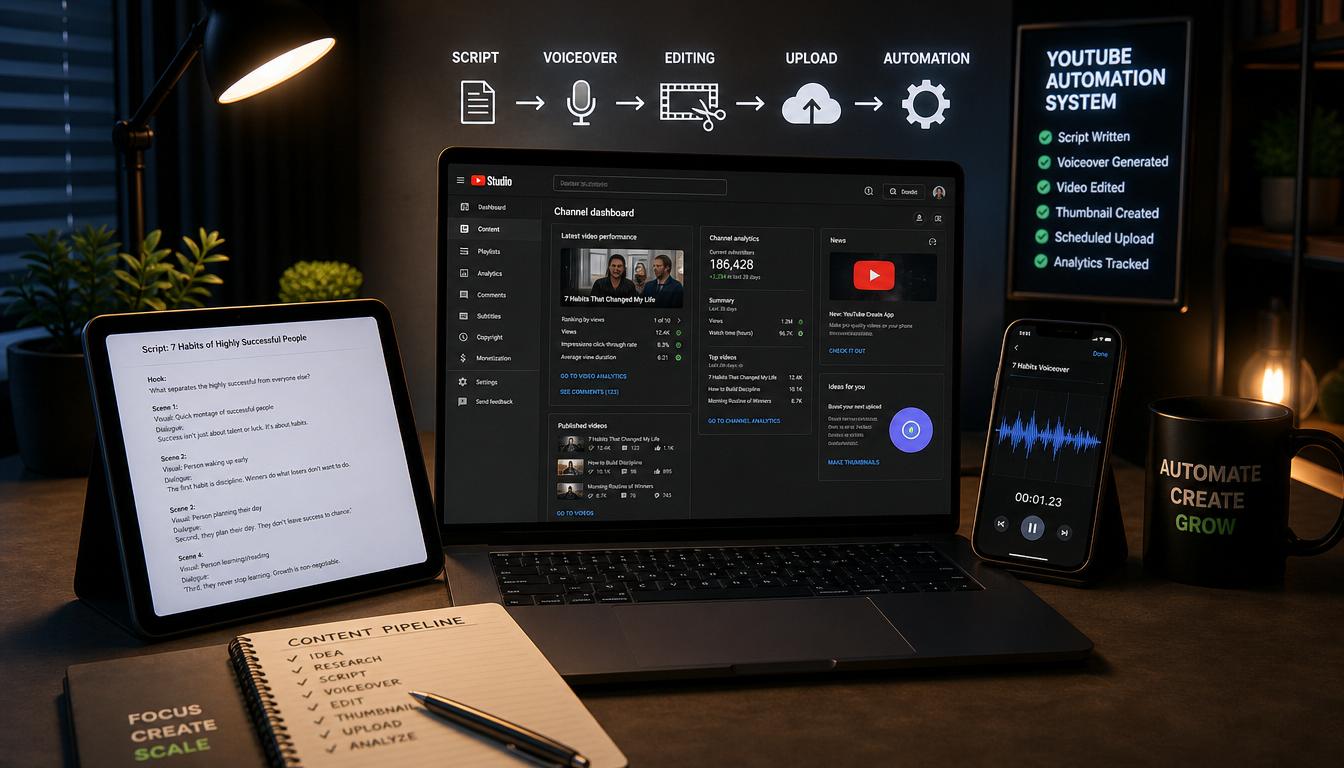
YouTube automation is a way of running a channel without doing everything yourself. Instead of creating videos alone, you build a simple system where different parts of the work are handled separately.
For example, you:
- Get scripts written
- Use voice-overs (human or AI)
- Have videos edited by someone else
This means you’re not stuck doing everything on your own. Instead, you act more like a manager than a creator. You focus on choosing the right ideas, planning content, and improving your strategy while the actual production is handled by others or tools.
Think of it like building a small content team that helps you grow faster. The biggest advantage is that it saves time and allows you to scale. Instead of making one video at a time by yourself, you can manage multiple videos or even multiple channels. In simple terms, YouTube automation turns content creation into a system, so you can grow smarter, not just harder.
Why People Choose YouTube Automation
There’s a reason this model is growing fast. More and more people are choosing YouTube automation because it removes many of the common barriers that stop beginners from starting.
- You don’t need to show your face
- You don’t need advanced skills
- You can scale faster
- It feels more like a business
For many people, the biggest fear is being on camera. YouTube automation solves that completely. You can stay behind the scenes and still build a successful channel. It’s also beginner-friendly. You don’t need to be an expert in editing, scripting, or recording. You can learn the basics and improve over time or even outsource parts of the work.
Another big advantage is scalability. Since you’re not doing everything yourself, you can create more content, grow faster, and even manage multiple channels once you understand the process. Most importantly, it shifts your mindset. Instead of just “posting videos,” you start thinking like a business owner, focusing on systems, growth, and long-term results.
That’s why YouTube automation is such a great option for beginners who want to start online but don’t know where to begin.
How to Start YouTube Automation
Step 1: Choose a Niche
Your niche is your topic.
Pick something that:
- Has demand
- Gets regular views
- Is easy to create content for
Popular niches include:
- Motivation
- Finance
- Facts
- Technology
Step 2: Research Video Ideas
Before creating anything, see what already works. Search your niche and look at:
- Popular videos
- Titles and thumbnails
- Content style
You’re not copying, you’re learning what performs well.
Step 3: Create a Script
Every video needs a script.
Keep it:
- Simple
- Clear
- Engaging
You can write it yourself or hire someone to do it.
Step 4: Add Voice-Over
Next, turn your script into audio.
You can:
- Hire a voice artist
- Use AI voice tools
Just make sure the voice sounds natural and easy to listen to.
Step 5: Edit the Video
This is where everything comes together.
Add:
- Video clips
- Text
- Background music
Keep the video engaging so viewers don’t get bored.
Step 6: Upload and Optimize
Before publishing your video:
- Write a strong title
- Create a clean thumbnail
- Add keywords in the description
This helps your video get discovered.
AIDA Framework:
Attention
Grab attention immediately with strong, eye-catching thumbnails and compelling titles.
Use bold visuals, clear text, and curiosity-driven wording that makes people want to click. Your title and thumbnail should promise value or spark intrigue within seconds.
Interest
Hook viewers in the first few seconds of your video. Start with a question, a surprising fact, or a relatable problem your audience faces. Let them know quickly what they’ll gain by watching, so they feel it’s worth their time.
Desire
Keep viewers engaged by consistently delivering value throughout the video.
Stay clear, focused, and avoid unnecessary filler. Break down your content in a simple and helpful way so viewers feel they are learning something useful or being entertained. Build anticipation so they want to keep watching until the end.
Action
End with a clear and natural call to action.
Encourage viewers to:
- Like the video if they found it helpful
- Comment their thoughts, questions, or experiences
- Subscribe for more valuable content
Make your call to action feel like a continuation of the conversation rather than a demand.
Smart Tips to Grow Faster
Keep It Simple
Simple videos often perform better than complicated ones. Focus on one clear idea per video so your audience can easily understand and follow along. Avoid overloading your content with too much information, clarity always wins over complexity.
Stay Consistent
Upload regularly to build momentum and stay visible. Consistency helps your audience know when to expect new content and builds trust over time. Even if your videos aren’t perfect, showing up consistently is what drives long-term growth.
Improve Over Time
Your first videos won’t be perfect and that’s completely normal. Instead of chasing perfection, focus on progress. Learn from each video you create and aim to make the next one slightly better whether it’s your editing, delivery, or storytelling.
Use Analytics
Pay attention to your performance data to understand what works.
Check your:
- Watch time (are people staying till the end?)
- Click-through rate (are your titles and thumbnails effective?)
- Audience retention (where do viewers drop off?)
These numbers give you real insights so you can adjust your content and grow smarter, not just faster.
Comparison Table: Automation vs Traditional YouTube
| Factor | YouTube Automation | Traditional Channel |
| Face Required | No | Yes (usually) |
| Time Investment | Lower | Higher |
| Skills Needed | Basic management | Editing + speaking |
| Growth Potential | High | Limited |
| Cost | Medium | Low to medium |
Common Mistakes to Avoid
- Choosing the wrong niche
- Using low-quality scripts
- Ignoring thumbnails
- Uploading inconsistently
- Not checking analytics
FAQ Section
Is YouTube automation legal?
Yes, YouTube automation is completely legal as long as you follow platform guidelines.Make sure you use original content or properly licensed material (videos, images, music). Avoid reusing copyrighted content without permission to stay safe.
Do I need money to start?
You can start with very little or no money.If you’re willing to write scripts, edit videos, and create thumbnails yourself, you can keep costs low. As your channel grows, you can reinvest and outsource tasks.
How long does it take to see results?
It depends on your consistency, niche, and content quality.Some channels start seeing traction within a few weeks, while others may take a few months. The key is to stay consistent and keep improving.
Can beginners start YouTube automation?
Yes, it’s beginner-friendly if you follow a clear system.You don’t need prior experience, just basic research, patience, and a willingness to learn as you go.
Do I need editing skills?
Not necessarily. You can use beginner-friendly editing tools or hire freelancers to do the work. Over time, learning basic editing can help you save money and improve quality.What niche should I choose?
Choose a niche with proven demand and consistent content ideas.Look for topics people are already searching for, such as education, finance, health, tech, or storytelling. Also, pick something you can produce content on regularly.
Can I use AI tools?
Yes, many creators use AI tools to speed up their workflow.AI can help with scriptwriting, voice-overs, and even editing. Just make sure the final content is valuable, accurate, and not overly generic.
How often should I upload?
Consistency matters more than volume.Aim to post at least 2-3 videos per week, but focus on maintaining quality. A steady schedule helps build audience trust and improves growth.
Is it passive income?
Not in the beginning. You’ll need to put in time and effort upfront to create content and grow your channel. Over time, as your videos generate views consistently, it can become more passive.Can I run multiple channels?
Yes, once you understand the process. After you learn what works, you can scale by creating multiple channels in different niches or formats to increase your overall income.Conclusion
YouTube automation is one of the easiest ways to start a channel without showing your face or doing everything yourself. It’s about building a system that works for you. Start by choosing a niche, create your first video, and improve step by step. Don’t wait for everything to be perfect, just begin. Your first automated channel could be the start of something big.