Closed Captioning Software for Live Events: The Ultimate Guide for Modern Event Organizers
Live events move fast.
Your audience doesn’t want to miss a word and neither should you.
Whether you’re hosting a webinar, conference, product launch, sports broadcast, or hybrid event, closed captioning software for live events is no longer optional. It’s a competitive advantage.
Because here’s the truth:
If people can’t follow your message clearly, they disconnect.
And when they disconnect, you lose engagement, conversions, and impact.
In this guide, we’ll break down everything you need to know about choosing the right live captioning software, how AI-driven tools are changing the game, and how to turn accessibility into a growth engine.
Why Closed Captioning Software for Live Events Is No Longer Optional
Live content is booming. But so are audience expectations.
Today’s viewers demand:
- Accessibility
- Inclusivity
- Global reach
- Clear communication
- On-demand repurposing
That’s where real-time captioning tools step in.
The Business Case for Live Captioning
Using AI captioning for events delivers measurable advantages:
- Higher engagement rates
- Increased watch time
- Expanded global reach
- Compliance with accessibility standards
- Repurposable content via transcription
And let’s not forget: 80%+ of social media videos are watched without sound. Even during live streams, many viewers rely on text for clarity.
If you’re not using automatic live captions, you’re leaving growth on the table.
What Is Closed Captioning Software for Live Events?
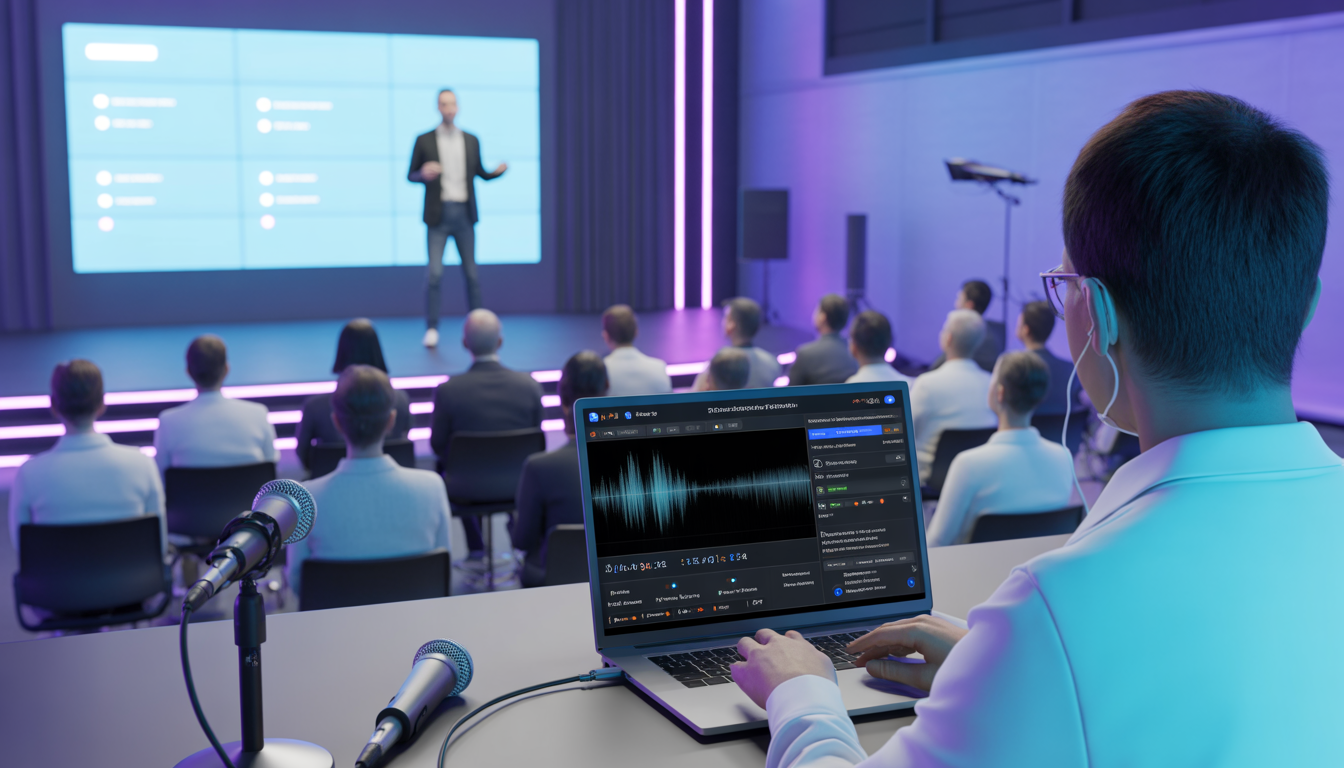
Closed captioning software for live events converts spoken audio into on-screen text in real time.
It uses:
- AI-powered speech recognition
- Natural language processing
- Real-time syncing algorithms
- Optional human editing layers
The result? Seamless, accurate captions during live broadcasts, webinars, conferences, and hybrid events. Modern speech-to-text for live events is faster and more accurate than ever often reaching 90-98% accuracy with proper audio setup.
Key Features to Look for in Live Captioning Software
Not all tools are created equal and when your brand reputation, audience experience, and compliance are on the line, “good enough” simply isn’t enough.
If you’re investing in closed captioning software for live events, here’s what serious event organizers, creators, and marketers should prioritize.
1. Real-Time Accuracy
In live events, timing is everything. Even a 7-10 second delay can disrupt viewer experience and reduce engagement.
Look for:
- Low latency (ideally under 5 seconds)
- High speech recognition accuracy (90%+ minimum)
- Speaker identification and labeling
- Automatic punctuation and sentence formatting
- Noise filtering and accent recognition
The best real-time captioning tools use advanced AI models trained on diverse speech patterns, industry terminology, and global accents.
Why does this matter? Because your keynote speaker, panelists, and moderators may all speak differently. Your captioning system should keep up flawlessly.
2. Multi-Language Support
Hosting international audiences? Then single-language captions aren’t enough.
Modern live captioning software should allow you to scale beyond borders.
Choose tools offering:
- Real-time translation into multiple languages
- Simultaneous subtitle streams for global viewers
- Localization features for regional terminology
- Support for right-to-left and non-Latin scripts
With powerful AI captioning for events, you can turn one event into a global broadcast without hiring multiple translators. This doesn’t just improve accessibility. It dramatically increases reach, attendance, and replay value. When viewers can consume content in their native language, engagement skyrockets.
3. Easy Platform Integration
Even the most advanced captioning tool is useless if it doesn’t integrate smoothly with your tech stack.
Your solution should seamlessly connect with platforms like:
- Zoom
- Microsoft Teams
- YouTube Live
- Facebook Live
- OBS Studio
- Webinar and virtual event platforms
- Professional broadcast production systems
Top-tier broadcast captioning software supports:
- API access
- RTMP streaming
- SDK integration
- Embeddable caption widgets
The goal? Zero friction. As an event organizer, you don’t have time for complicated setups. Your live event accessibility tools should plug in effortlessly, so your team can focus on delivery, not troubleshooting.
4. Exportable Transcripts
Here’s where many event organizers miss a massive opportunity.
Closed captioning isn’t just for live viewers. It’s a content goldmine.
High-quality event transcription software should allow you to:
- Download full, time-stamped transcripts
- Edit and clean up text easily
- Export in multiple formats (TXT, DOCX, SRT, VTT)
- Automatically generate subtitle files
- Archive content for compliance
From there, you can:
- Turn sessions into SEO blog posts
- Create short-form video clips
- Develop lead magnets
- Build email campaigns
- Optimize website search visibility
Your live event stops being a one-time experience and becomes evergreen, revenue-generating content. That’s the power of smart speech-to-text for live events.
5. Accessibility & Compliance
If you’re hosting public-facing events, compliance isn’t optional. It’s essential.
Look for tools that support:
- ADA compliance standards
- WCAG 2.1 compatibility
- Adjustable font size and color contrast
- Closed and open caption options
- Keyboard navigation compatibility
The right live event accessibility tools don’t just protect you legally, they strengthen your brand. When attendees see that you’ve prioritized inclusivity, it builds trust. It signals professionalism. It shows that your event is designed for everyone. And in today’s competitive landscape, inclusivity is a competitive advantage.
How AI Captioning for Events Is Changing the Game
Not long ago, live captioning meant booking human stenographers expensive, limited, and difficult to scale. It worked for major broadcasts, but for webinars, virtual summits, and hybrid events? It wasn’t always practical.
Now, AI captioning for events has completely transformed the process. Using advanced speech recognition and machine learning, modern tools convert live audio into accurate captions within seconds. What once required complex coordination can now be activated in minutes.
Accessibility is no longer a luxury. It’s built in.
Benefits of AI-Powered Captioning
Here’s why event organizers and marketers are switching to AI-driven live captioning software:
- Instant setup: Launch captions on demand, even for last-minute events.
- Lower cost: Significantly more affordable than traditional human captioning.
- Scalable for large audiences: Works seamlessly for 100 or 100,000 viewers.
- Multi-language support: Real-time translation expands global reach.
- Automated transcription: Instantly generate transcripts for repurposing and SEO.
Modern real-time captioning tools continuously improve through AI learning. Many platforms even offer optional human review for high-stakes broadcasts, combining automation with accuracy.
For marketers and creators, this means:
Speed. Scale. Savings.
AI hasn’t just improved live captions, it has made them accessible to every event, every audience, and every budget.
PAS Framework: Why You Can’t Ignore Live Captions
Let’s simplify this using one of the most powerful persuasion models in marketing,
Problem
Your audience is missing key points during your live events.
Maybe the audio isn’t perfect.
Maybe attendees are watching from noisy environments.
Maybe English isn’t their first language.
The result?
- Engagement drops.
- Viewers leave early.
- Important messages don’t land.
- Accessibility gaps expose you to compliance risks.
And in a world where attention spans are shrinking, even small friction points cost you retention and revenue.
Agitation
Now here’s the uncomfortable truth.
Your competitors are already using closed captioning software for live events.
Their webinars feel polished.
Their global audiences stay engaged.
Their replays perform better.
Their content ranks higher because transcripts fuel SEO.
Meanwhile, your live sessions may feel harder to follow less inclusive, less professional, less optimized.
In today’s digital-first environment, clarity isn’t optional. It’s expected.
And when viewers struggle to follow along, they don’t complain.
They just leave.
Solution
Adopt powerful live captioning software powered by AI-driven automation and real-time transcription.
With the right solution, you get:
- Instant clarity for every viewer
- Greater accessibility for diverse audiences
- Built-in compliance support
- Repurposable transcripts for marketing
- Higher engagement and longer watch times
No friction.
No missed messages.
No lost opportunities.
Live captions don’t just display text they elevate the entire experience.
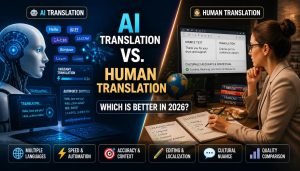
Comparison: AI vs Human Captioning for Live Events
| Feature | AI Captioning | Human Captioning |
| Cost | Affordable | Expensive |
| Speed | Instant | Requires scheduling |
| Scalability | Unlimited | Limited by staff |
| Accuracy | 90-98% | 99%+ |
| Multi-language | Yes | Limited |
| Best For | Webinars, large events, hybrid events | High-stakes legal/broadcast |
For most event organizers, AI-powered automatic live captions are the smart, scalable choice.
Top Use Cases for Live Captioning Software
Here’s where speech-to-text for live events makes the biggest impact:
1. Conferences & Summits
- On-screen captions improve comprehension
- Transcripts create post-event content
2. Webinars
- Boosts retention
- Improves replay value
3. Live Streams
- Increases engagement
- Makes content accessible globally
4. Broadcast Events
- Ensures compliance
- Professional polish with broadcast captioning software
5. Online Courses & Training
- Improves learning outcomes
- Supports diverse learners
How Closed Captioning Boosts Marketing ROI
Most organizers see captions as a compliance tool.
Smart marketers see it as a growth strategy.
Here’s Why:
- Better Engagement
- Viewers retain more when reading + hearing.
- Higher SEO Impact
- Transcripts increase searchable content.
- Repurposing Power
Turn captions into:
- Blog posts
- Email sequences
- Social snippets
- LinkedIn posts
- Improved Conversion Rates
- Clear communication builds trust.
Using the right event transcription software, your single event becomes 10+ content assets.
How to Choose the Best Closed Captioning Software for Live Events
Ask these questions:
- What’s the accuracy rate?
- Is there real-time latency?
- Does it support multiple languages?
- Can I export transcripts easily?
- Does it integrate with my platform?
- Is it ADA/WCAG compliant?
- Does it offer API access?
- What’s the pricing model?
Don’t choose based on price alone. Choose based on performance + scalability.
Implementation Tips for Flawless Live Captions
Even the best real-time captioning tools need proper setup.
Follow these best practices:
- Use high-quality microphones
- Minimize background noise
- Speak clearly and avoid overlapping speakers
- Test internet stability
- Run a full rehearsal
Captions are only as good as your audio source.
Frequently Asked Questions (FAQ)
Q1: What is closed captioning software for live events?
A: It’s software that converts live speech into real-time, on-screen text during webinars, conferences, live streams, and broadcasts using AI-powered speech recognition.
Q2: How accurate is AI live captioning?
A: Most modern live captioning software delivers 90-98% accuracy, depending on audio quality, speaker clarity, and background noise. Better audio setup means better results.
Q3: Is live captioning legally required?
A: In many regions, public-facing events must follow accessibility standards like ADA and WCAG. Even when not required, captions demonstrate professionalism and inclusivity.
Q4: Can live captions be translated into other languages?
A: Yes. Many AI captioning for events platforms offer real-time translation, helping you reach international audiences instantly.
Q5: What’s the difference between open and closed captions?
A: Closed captions can be turned on or off by viewers. Open captions are permanently displayed on the screen.
Q6: Does live captioning improve SEO?
A: Yes. Transcripts generated by event transcription software create searchable, keyword-rich content that can boost organic traffic.
Q7: Can I use captioning software with Zoom or YouTube Live?
Yes. Most broadcast captioning software integrates easily with major streaming and webinar platforms.
Q8: How much does closed captioning software cost?
A: Pricing depends on usage, features, and language support. AI-powered tools are generally more affordable than traditional human captioning.
Q9: Is AI captioning better than human captioning?
A: For scalability and cost-efficiency, AI is ideal. For highly technical or legal events, human captioning may provide slightly higher accuracy
Q10: Can I edit transcripts after the event?
A: Yes. Most speech-to-text for live events platforms allow transcript downloads, editing, and export in multiple formats.
Q11: Do captions improve audience retention?
A: Absolutely. Viewers retain more when they can both hear and read the content, leading to better engagement.
Q12: Is captioning only for accessibility?
A: No. It also boosts engagement, expands global reach, improves SEO, and increases marketing ROI.
Final Thoughts: Turn Accessibility Into Advantage
Closed captioning software for live events isn’t just about compliance.
It’s about clarity.
It’s about reach.
It’s about growth.
In a world where attention is fragile and competition is fierce, the brands that win are the ones that communicate clearly to everyone.
When you implement powerful live event accessibility tools, you:
- Expand your audience
- Improve engagement
- Strengthen your brand
- Future-proof your events
The question isn’t whether you need live captions.
The question is:
Can you afford not to use them?
Start integrating closed captioning software for live events into your next broadcast, webinar, or conference and transform every word spoken into measurable impact.