Introduction
Ever watched an online course where the voice didn’t match your language and you lost interest within seconds? It feels frustrating. You try to focus, but your brain keeps working harder just to understand what’s being said. Eventually, you click away.
That’s exactly the problem many creators face without even realizing it.
If your e-learning videos are only available in one language, you’re automatically limiting your reach. There are thousands (even millions) of potential learners who might love your content but they simply can’t understand it.
And in today’s global world, that’s a missed opportunity.
Here’s the good news: dubbing your videos is much easier than it used to be.
You don’t need a professional studio.
You don’t need expensive equipment.
You don’t even need advanced technical skills.
All you really need is a clear process, the right tools, and a little bit of patience. Once you understand how dubbing works, you can start turning your single-language course into a multilingual learning experience, one that feels natural, engaging, and easy to follow.
In this guide, you’ll learn how to dub an e-learning video step by step, using simple methods that beginners can follow.
Video dubbing is the process of replacing the original voice in a video with a new voice in another language. Instead of just adding subtitles at the bottom of the screen, dubbing allows viewers to actually hear the content in their own language. This creates a much smoother and more natural viewing experience. The learner doesn’t have to read and listen at the same time, they can simply focus on understanding the lesson.
In e-learning, this makes a big difference. When people hear content in their native language, they feel more comfortable, more engaged, and more likely to continue watching. It removes confusion and helps them connect better with the material.
Why dubbing matters in e-learning:
In short, dubbing turns your e-learning videos into a more accessible, engaging, and global learning experience.
Dubbing an e-learning video might sound technical, but when you break it down, it’s actually a simple process. You just need to follow the right steps in order. Let’s go through each one in a clear and beginner-friendly way.
Everything starts with your script. This is the foundation of your dubbing process. Begin with your original video script, then:
Don’t translate word-for-word. Languages work differently. Focus on delivering the same meaning, not the exact words. Also, try reading the translated script out loud. This helps you catch awkward phrases and makes sure it sounds natural when spoken.
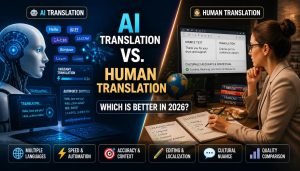
Now it’s time to decide who (or what) will speak your script. You have two main options:
Human Voiceover:
AI Voice:
If you’re just starting out, AI voices can be a quick and simple solution.
Once your script and voice are ready, it’s time to create the audio.
If using a human voice:
If using AI:
Break long scripts into smaller sections. This makes recording and editing much easier.
This is one of the most important steps in the entire process. Your goal is to make the new voice feel like it naturally belongs to the video.
Make sure:
You can use video editing software to:
Even small timing fixes can make a huge difference in quality.
Now it’s time to improve the overall quality. Go through your audio and:
A clean and smooth audio track makes your video feel more professional and easier to follow.
Before you publish your video, take a moment to review everything.
If possible, test it with someone from your target audience. Fresh ears can catch issues you might miss. Don’t aim for perfection, aim for clarity and comfort. If your audience can easily understand and enjoy the content, you’ve done it right.
By following these steps, you can turn any e-learning video into a professional, multilingual experience that connects with a much wider audience.
Let’s be honest, most dubbed e-learning videos don’t sound great. The voice often feels robotic, flat, or unnatural. Sometimes, it doesn’t match the timing of the video at all. You might hear the audio too early… or too late. In some cases, the tone doesn’t even match the lesson.
All of this creates a disconnected experience for the learner.
Now imagine you’re the learner. You’re trying to understand something important, but:
What happens next?
You lose focus.
You get frustrated.
And eventually, you stop watching. This not only reduces engagement but also hurts your course completion rates. Even worse, it can make your content look rushed or unprofessional, no matter how valuable the actual information is.
This problem is completely fixable. You don’t need fancy tools or a big budget. You just need to follow a simple, smart process:
When you do these things right, your video stops feeling like a “translation” and starts feeling like a native learning experience. And that’s the difference between a video people tolerate and one they actually enjoy watching.
Choosing the right tools can make dubbing much faster, easier, and more professional especially if you’re just getting started. There are many tools available, but some stand out because they are beginner-friendly and efficient. One of the most notable options today is Dubright, which combines multiple features into one platform and simplifies the entire dubbing process.
Here are some useful tools to consider:
Use both when possible.
Good dubbing isn’t just about translating words, it’s about creating a smooth and natural learning experience. Small improvements in how your audio sounds can make a big difference in how your audience understands and enjoys your content.
Here are some simple but powerful best practices to follow:
Dubbing your e-learning videos is no longer just a “nice extra” or optional upgrade, it has become a powerful growth strategy for modern creators. When you dub your content into different languages, you instantly open the door to a much larger audience. People who were once unable to understand your videos can now learn from them easily. This naturally leads to better engagement, higher watch time, and stronger trust in your content.
It also improves the overall learning experience. Instead of struggling with language barriers or relying only on subtitles, learners can fully focus on understanding the lesson. This makes your content more effective, more enjoyable, and more impactful. And you don’t need to be an expert or have a professional studio to get started. With today’s tools and simple workflows, even beginners can create high-quality dubbed videos step by step.
Start small. Pick just one video. Try dubbing it into another language today.
Ever watched an online course where the voice didn’t match your language and you lost interest within seconds? It feels frustrating. You try to focus, but your brain keeps working harder just to understand what’s being said. Eventually, you click away.
That’s exactly the problem many creators face without even realizing it.
If your e-learning videos are only available in one language, you’re automatically limiting your reach. There are thousands (even millions) of potential learners who might love your content but they simply can’t understand it.
And in today’s global world, that’s a missed opportunity.
Here’s the good news: dubbing your videos is much easier than it used to be.
You don’t need a professional studio.
You don’t need expensive equipment.
You don’t even need advanced technical skills.
All you really need is a clear process, the right tools, and a little bit of patience. Once you understand how dubbing works, you can start turning your single-language course into a multilingual learning experience, one that feels natural, engaging, and easy to follow.
In this guide, you’ll learn how to dub an e-learning video step by step, using simple methods that beginners can follow.
What Is Video Dubbing?
Video dubbing is the process of replacing the original voice in a video with a new voice in another language. Instead of just adding subtitles at the bottom of the screen, dubbing allows viewers to actually hear the content in their own language. This creates a much smoother and more natural viewing experience. The learner doesn’t have to read and listen at the same time, they can simply focus on understanding the lesson.
In e-learning, this makes a big difference. When people hear content in their native language, they feel more comfortable, more engaged, and more likely to continue watching. It removes confusion and helps them connect better with the material.
Why dubbing matters in e-learning:
- Makes lessons easier to understand Learners can focus fully on the content without struggling with language barriers.
- Feels more natural than reading subtitles Listening is faster and less tiring than constantly reading text on the screen.
- Increases course completion rates When content is easy to follow, learners are more likely to finish the course.
- Expands your global reach You can connect with audiences from different countries and grow beyond one language.
In short, dubbing turns your e-learning videos into a more accessible, engaging, and global learning experience.
How to Dub an E-Learning Video
Dubbing an e-learning video might sound technical, but when you break it down, it’s actually a simple process. You just need to follow the right steps in order. Let’s go through each one in a clear and beginner-friendly way.
1. Prepare Your Script
Everything starts with your script. This is the foundation of your dubbing process. Begin with your original video script, then:
- Translate it into your target language
- Keep sentences short, simple, and easy to understand
- Adjust the tone based on your audience (formal, friendly, instructional, etc.)
Don’t translate word-for-word. Languages work differently. Focus on delivering the same meaning, not the exact words. Also, try reading the translated script out loud. This helps you catch awkward phrases and makes sure it sounds natural when spoken.
2. Choose a Voice (Human or AI)
Now it’s time to decide who (or what) will speak your script. You have two main options:
Human Voiceover:
- Sounds more natural and expressive
- Better for storytelling or emotional lessons
- Great for high-quality, premium courses
AI Voice:
- Faster and more cost-effective
- Ideal for large projects or multiple languages
- Easy to update and regenerate if needed
If you’re just starting out, AI voices can be a quick and simple solution.
3. Record the Voiceover
Once your script and voice are ready, it’s time to create the audio.
If using a human voice:
- Record in a quiet space (no background noise)
- Use a decent microphone for clear sound
- Speak clearly and at a steady pace
- Try to match the tone and energy of the original video
If using AI:
- Paste your script into a voice generator tool
- Choose the language, accent, and tone
- Generate the audio in seconds
Break long scripts into smaller sections. This makes recording and editing much easier.
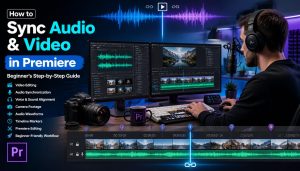
4. Sync Audio with Video
This is one of the most important steps in the entire process. Your goal is to make the new voice feel like it naturally belongs to the video.
Make sure:
- The voice matches the timing of the visuals
- Pauses align with scene changes or slides
- There are no awkward delays or overlaps
You can use video editing software to:
- Trim or stretch audio
- Adjust timing
- Align voice with on-screen actions
Even small timing fixes can make a huge difference in quality.
5. Edit and Polish
Now it’s time to improve the overall quality. Go through your audio and:
- Remove background noise or unwanted sounds
- Adjust volume levels so everything is clear
- Add slight pauses to improve flow
- Fix any pronunciation or pacing issues
A clean and smooth audio track makes your video feel more professional and easier to follow.
6. Export and Test
Before you publish your video, take a moment to review everything.
- Watch the full video from start to finish
- Check if the voice sounds natural and well-timed
- Make sure nothing feels rushed or out of sync
If possible, test it with someone from your target audience. Fresh ears can catch issues you might miss. Don’t aim for perfection, aim for clarity and comfort. If your audience can easily understand and enjoy the content, you’ve done it right.
By following these steps, you can turn any e-learning video into a professional, multilingual experience that connects with a much wider audience.
PAS Framework: Why Most Dubbing Fails (And How to Fix It)
Problem
Let’s be honest, most dubbed e-learning videos don’t sound great. The voice often feels robotic, flat, or unnatural. Sometimes, it doesn’t match the timing of the video at all. You might hear the audio too early… or too late. In some cases, the tone doesn’t even match the lesson.
All of this creates a disconnected experience for the learner.
Agitation
Now imagine you’re the learner. You’re trying to understand something important, but:
- The voice sounds strange or emotionless
- The timing feels off and distracting
- You have to “work harder” just to follow along
What happens next?
You lose focus.
You get frustrated.
And eventually, you stop watching. This not only reduces engagement but also hurts your course completion rates. Even worse, it can make your content look rushed or unprofessional, no matter how valuable the actual information is.
Solution
This problem is completely fixable. You don’t need fancy tools or a big budget. You just need to follow a simple, smart process:
- Use clear and natural scripts Write the way people actually speak, not how machines translate.
- Choose the right voice Pick a voice (human or AI) that matches your content style and audience.
- Focus on proper syncing Make sure your audio aligns perfectly with visuals, pauses, and transitions.
- Review before publishing Always test your video to catch small issues that can affect the experience.
When you do these things right, your video stops feeling like a “translation” and starts feeling like a native learning experience. And that’s the difference between a video people tolerate and one they actually enjoy watching.
Tools You Can Use for Dubbing
Choosing the right tools can make dubbing much faster, easier, and more professional especially if you’re just getting started. There are many tools available, but some stand out because they are beginner-friendly and efficient. One of the most notable options today is Dubright, which combines multiple features into one platform and simplifies the entire dubbing process.
Here are some useful tools to consider:
| Tool Type | Examples | Best For |
| AI Dubbing Platform | Dubright (Recommended) | All-in-one dubbing (script, voice, sync) |
| AI Voice Tools | Murf, ElevenLabs | Fast voice generation |
| Editing Software | Camtasia, Premiere Pro | Audio-video syncing & editing |
| Subtitle Tools | Kapwing, VEED | Script creation & timing support |
Dubbing vs Subtitles (Quick Comparison)
| Feature | Dubbing | Subtitles |
| Experience | More immersive | Requires reading |
| Engagement | Higher | Medium |
| Cost | Higher | Lower |
| Speed | Slower to produce | Faster |
Best Practices for Better Dubbing
Good dubbing isn’t just about translating words, it’s about creating a smooth and natural learning experience. Small improvements in how your audio sounds can make a big difference in how your audience understands and enjoys your content.
Here are some simple but powerful best practices to follow:
- Keep sentences short and simple Long and complex sentences are harder to follow, especially in another language. Short sentences make your content clearer and easier to understand.
- Match tone with visuals Your voice should fit what’s happening on screen. If the video is explaining something serious, keep the tone calm and clear. If it’s more engaging or energetic, let the voice reflect that.
- Avoid over-speeding the voice Speaking too fast can confuse learners. Give your audience time to process the information. A steady, natural pace always works better.
- Use natural pauses Small pauses between sentences help the listener absorb information. It also makes your audio feel more human and less rushed.
- Always review before publishing Never skip this step. Watch your video from start to finish and listen carefully for timing issues, unclear words, or awkward moments.
- Focus on clarity over perfection Your goal isn’t to sound perfect, it’s to be understood. Even simple, clear audio is better than something that sounds polished but confusing.
- Stay consistent throughout the video Try to keep the same voice style, volume, and pacing from beginning to end. Consistency builds trust and keeps the experience smooth.
FAQs (Frequently Asked Questions)
1. What is dubbing in e-learning?
Dubbing in e-learning means replacing the original audio of a video with a new voice in another language. Instead of reading subtitles, learners can directly listen to the content in their own language, which makes understanding much easier and more natural.2. Is dubbing better than subtitles?
Both have their benefits, but they serve different purposes. Dubbing feels more engaging and immersive because learners don’t need to read anything. Subtitles, on the other hand, are faster to create and more cost-effective. Many creators actually use both for the best results.3. Can beginners dub videos?
Yes, absolutely. Beginners can start dubbing with simple tools and a basic workflow. You don’t need advanced editing skills. With AI tools and easy video editors, even first-time creators can produce good-quality dubbed videos.4. Do I need expensive software for dubbing?
No, you don’t. There are many free and affordable tools available that can handle voice generation, editing, and syncing. You can start small and upgrade later if needed.5. How long does dubbing take?
It depends on the length and complexity of the video. A short e-learning video can take a few hours, while longer courses may take more time. As you get experience, the process becomes much faster and smoother.6. Can I use AI voices for e-learning videos?
Yes, AI voices are widely used today. They are especially useful for large-scale projects, quick translations, and multiple language versions. However, it’s important to choose natural-sounding voices for better learning experience.7. How do I sync audio properly with video?
You can sync audio using video editing tools by aligning voiceovers with visuals, slides, or scene changes. If needed, you can manually adjust timing to remove delays or mismatches. Proper syncing is key to making the video feel professional.8. What languages should I choose first?
Start with the languages your target audience uses the most. If you already have viewers or students from specific regions, prioritize those languages first to get better engagement and results.9. Is dubbing worth it for small creators?
Yes, it is very valuable even for small creators. Dubbing helps you reach a wider audience, increase watch time, and grow faster by making your content accessible to more people around the world.10. Can I dub videos without a script?
It is possible, but not recommended. Having a script makes the process much easier, more accurate, and more consistent. It also helps maintain clarity and reduces mistakes during translation and recording.Conclusion
Dubbing your e-learning videos is no longer just a “nice extra” or optional upgrade, it has become a powerful growth strategy for modern creators. When you dub your content into different languages, you instantly open the door to a much larger audience. People who were once unable to understand your videos can now learn from them easily. This naturally leads to better engagement, higher watch time, and stronger trust in your content.
It also improves the overall learning experience. Instead of struggling with language barriers or relying only on subtitles, learners can fully focus on understanding the lesson. This makes your content more effective, more enjoyable, and more impactful. And you don’t need to be an expert or have a professional studio to get started. With today’s tools and simple workflows, even beginners can create high-quality dubbed videos step by step.
Start small. Pick just one video. Try dubbing it into another language today.