Introduction: Expand Your Reach Without Spending a Dime
You’ve created an amazing video, well-scripted, well-edited, and packed with value. Now comes the next big challenge: reaching a global audience. The problem? Many of your potential viewers may not understand the language you’re speaking.
In the past, dubbing a video into another language was expensive and complicated. It meant hiring professional voice actors, renting recording studios, coordinating translations, and spending hundreds or even thousands of dollars per video. For beginners, solo creators, educators, and small businesses, those costs were often unrealistic.
You might find yourself thinking:
- “I wish I could dub my video for free.”
- “Is there a way to make my content multilingual without breaking the bank?”
- “How can I save time and money without sacrificing quality?”
The good news is that technology has completely changed the game. Thanks to AI-powered tools and free online platforms, video dubbing is no longer limited to big studios or large budgets.
Today, you can translate, generate voiceovers, and sync audio with your video quickly, accurately, and at zero cost.
Whether you’re a YouTuber trying to grow internationally, a course creator targeting students worldwide, or a marketer looking to localize content, free video dubbing tools make global expansion possible for everyone.
In this step-by-step guide, you’ll learn exactly how to dub a video in another language for free, even if you have no prior experience. By the end, you’ll be able to:
- Create multilingual videos that connect with audiences worldwide
- Use free and beginner-friendly dubbing tools with confidence
- Save time and money without compromising audio quality
- Increase engagement, watch time, and international reach
Let’s dive in and turn your videos into truly global content
What Is Video Dubbing and Why It Matters
Before we dive into the tools and step-by-step methods, it’s important to understand what video dubbing actually is and why it plays such a crucial role in content growth.
Video dubbing is the process of replacing a video’s original spoken audio with a translated voiceover in another language. The goal is to make the content feel natural and accessible to viewers who don’t understand the original language. Unlike subtitles which require viewers to constantly read on-screen text dubbing allows audiences to simply listen and focus on the visuals, creating a smoother and more immersive experience.
This is especially important for long-form videos, tutorials, educational content, and marketing videos, where reading subtitles for extended periods can feel tiring or distracting.
Why You Should Dub Your Videos
Dubbing your videos isn’t just about translation, it’s about connection and impact. Here’s why it matters:
- Reach new audiences: Viewers are far more likely to watch, understand, and share videos presented in their native language. Dubbing removes language barriers and opens the door to international markets.
- Increase engagement: Videos with native-language audio typically achieve higher watch time, better retention, and stronger audience interaction compared to subtitle-only content.
- Improve comprehension: Listening in one’s own language makes complex ideas easier to understand, especially for educational or instructional videos.
- Build a professional brand image: Multilingual videos signal credibility, inclusivity, and global awareness qualities that elevate your brand or channel.
- Enhance accessibility: Dubbing benefits viewers who struggle with reading subtitles, have visual impairments, or prefer audio-based learning.
The best part, You no longer need a large budget or technical expertise to do this. With modern AI tools and free platforms, even small creators and beginners can dub their videos professionally and expand their reach worldwide without spending a fortune.
How AI Has Revolutionized Free Video Dubbing
Gone are the days when dubbing a video meant hiring professional voice actors for every language, booking studio time, and managing a long, expensive production process. Today, artificial intelligence has completely transformed video dubbing, making it faster, smarter, and accessible to everyone even for free.
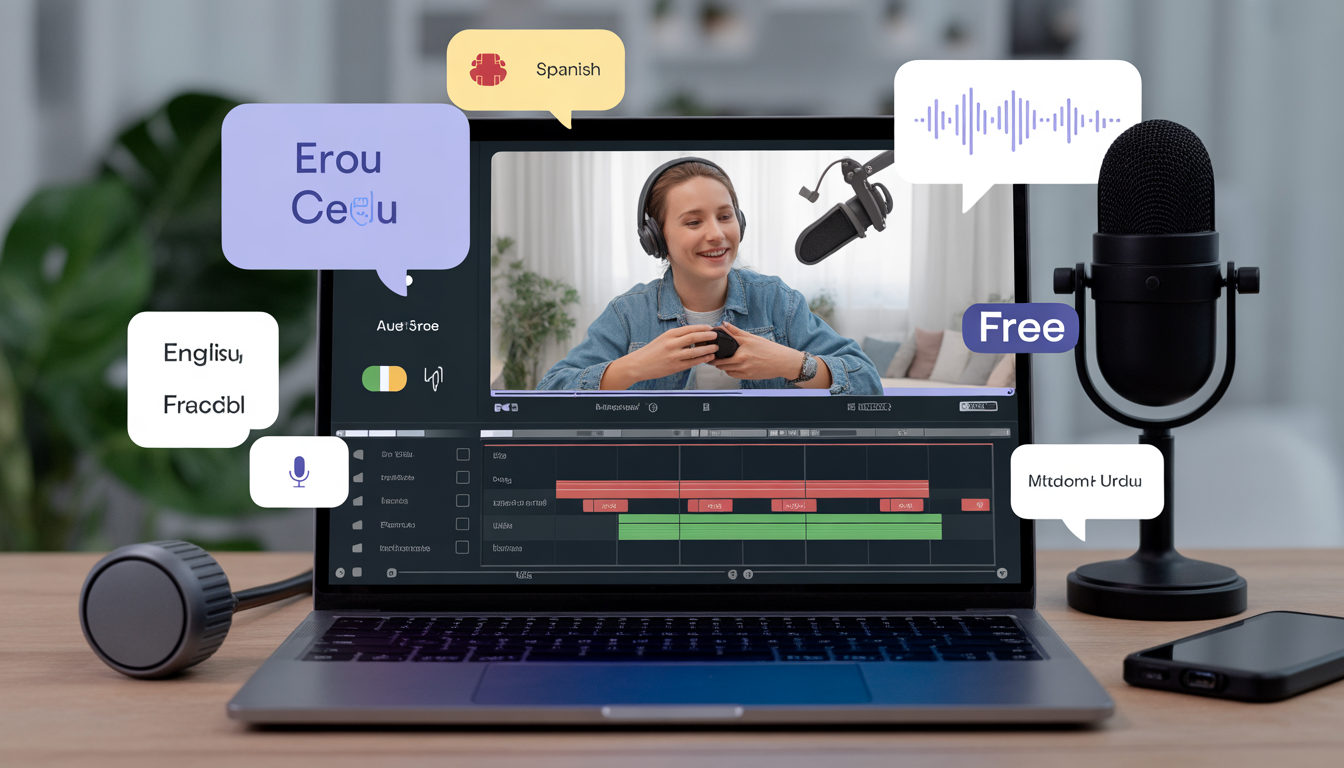
Modern AI dubbing tools use advanced speech recognition, machine translation, and text-to-speech technology to handle the entire dubbing process automatically. With just a few clicks, these tools can extract the original audio from your video, translate it into another language, and generate a natural-sounding voiceover that closely matches human speech.
Here’s what AI-powered dubbing tools can do for you:
- Automatically translate audio into dozens of languages: AI can instantly convert spoken dialogue into multiple languages, eliminating the need for manual translation. This allows creators to localize content for different regions quickly and accurately.
- Generate lifelike voiceovers: Advanced text-to-speech models produce realistic voices in a variety of tones, accents, and genders, making the dubbed audio sound professional and engaging rather than robotic.
- Sync audio with video timing: AI tools intelligently adjust pacing and pauses so the new voiceover aligns with the speaker’s lip movements and on-screen actions, delivering smooth and polished results.
- Create multilingual versions in minutes: What once took days or weeks can now be done in minutes. You can dub a single video into multiple languages and export ready-to-publish versions almost instantly.
- Simplify the workflow for beginners: Most AI dubbing platforms are designed with easy-to-use interfaces, meaning you don’t need technical skills or editing experience to get professional-quality results.
For beginners and small creators, this is a game changer. AI allows you to turn one video into a global content asset, helping you reach international audiences, increase watch time, and grow faster all with minimal effort and zero cost when using free tools.
In short, AI has leveled the playing field. Whether you’re a solo YouTuber, educator, or marketer, you now have access to powerful dubbing technology that was once reserved for large studios and big budgets.
Step-by-Step Guide: How to Dub a Video in Another Language for Free
Dubbing a video in another language may sound technical, but with modern AI tools, the process is surprisingly simple—even for beginners. Follow these steps to create professional-sounding multilingual videos without spending any money.
Step 1: Prepare Your Original Video
Before you start dubbing, make sure your original video is clean and ready. The quality of your input directly affects the quality of the dubbed output.
Focus on the following:
- Clear audio: Reduce background noise, echoes, or overlapping voices. AI tools work best with clean sound.
- Clear narration or dialogue: Speak slowly and clearly, especially if the video is instructional or educational.
- Proper timing: Ensure scenes are well-paced so the AI voiceover can sync naturally with visuals.
If possible, review the video once before uploading to catch any audio issues.
If your video includes multiple speakers, label them in your script (e.g., Speaker 1, Speaker 2). This helps AI tools assign different voices more accurately and improves overall realism.
Step 2: Choose a Free AI Dubbing Tool
There are several free tools available that allow you to dub videos using AI. While free plans come with some limitations, they’re more than enough for beginners and small creators.
| Tool | Key Features | Limitations |
| VEED.io | Auto-translation, AI voices, subtitles | Watermark on free plan, limited languages |
| Kapwing | Easy editing, AI voiceover generation | Video length limits |
| Descript (Free) | Overdub AI voices, audio/video editing | Limited free hours |
| VEED Studio AI Dubbing | Automatic sync, multilingual support | Advanced voices may require paid plan |
| Clipchamp (Microsoft) | AI translation, easy export | Free plan capped resolution |
Each tool has a slightly different workflow, so it’s worth testing one or two.
Upload a short test video first to understand the tool’s interface before committing to a full project.
Step 3: Transcribe or Auto-Generate Your Script
Most AI dubbing tools work with text, so the next step is to generate a script from your original video.
You can do this in two ways:
- Manual transcription: Best if the video is short or highly technical.
- AI transcription: Faster and usually accurate. Many free tools include automatic transcription.
Example workflow:
Upload your video to VEED. io → Use Auto Subtitles → Review and correct the text → Export the script.
Taking a few minutes to clean up the transcription will significantly improve the final dubbed result.
Step 4: Translate the Script
Once your script is ready, translate it into your target language.
Free translation options include:
- Google Translate: Fast and accessible (manual refinement recommended).
- DeepL: Often provides more natural phrasing, even on the free tier.
- Built-in AI translation: Available in tools like VEED and Kapwing.
While AI translations are impressive, they’re not perfect.
Avoid direct word-for-word translations. Adjust phrases for cultural tone, local expressions, and natural flow to make the dubbing sound authentic.
Step 5: Generate the AI Voiceover
Now comes the exciting part, creating the dubbed audio.
Most AI dubbing tools allow you to:
- Choose male or female voices
- Select accents or regional variations
- Adjust speed, tone, and pacing
- Automatically sync the voiceover with the video timeline
Once selected, the AI generates a natural-sounding voiceover in the target language and replaces the original audio.
This step usually takes just a few minutes.
Step 6: Review and Fine-Tune
Even the best AI needs a human touch. Before exporting, carefully review the dubbed video.
Check for:
- Correct pronunciation of names, brands, or technical terms
- Natural pacing and pauses
- Emotional tone matching the original speaker
- Proper alignment with visuals and on-screen actions
Small timing adjustments can make a big difference in perceived quality.
Listen with headphones. You’ll catch pronunciation or sync issues more easily.
Step 7: Export and Share Your Dubbed Video
Once you’re satisfied, export your video in your preferred format—usually MP4.
Before sharing, confirm:
- Audio is synced correctly
- Resolution meets platform requirements
- Watermarks (if any) are acceptable on the free plan
Now your multilingual video is ready to be published on:
- YouTube
- Social media platforms
- Online courses
- Websites or e-learning portals
And just like that, you’ve turned a single video into a global asset without spending a dime.
PAS Framework: Why Free AI Dubbing Changes Everything
Problem: Global Growth Feels Out of Reach
You’ve put countless hours into creating high-quality videos tutorials, marketing content, educational courses, or YouTube videos but there’s a problem: your audience is limited to people who speak your language.
Reaching viewers in other countries has traditionally been expensive and complicated. Hiring professional voice actors, booking studios, and managing translations can cost hundreds or even thousands of dollars per video per language. For small creators, educators, and businesses, this often means your content is stuck in one language, unable to reach its full potential.
Agitation: The Cost of Staying Monolingual
Every day your videos remain in a single language is a missed opportunity. Consider this:
- A marketing video that could attract thousands of international customers is only being seen by a fraction of potential viewers.
- Educational content that could help students around the world is limited to native speakers.
- Even a simple translation can cost hundreds of dollars, and coordinating multiple voice actors adds complexity and time delays.
The result? Lower engagement, fewer shares, and limited revenue potential. Your content is working hard but not reaching the audience it deserves.
Solution: Free AI Dubbing Tools
This is where AI dubbing changes the game. Modern AI-powered tools allow you to:
- Translate your videos into dozens of languages automatically
- Generate realistic voiceovers in male or female voices, different accents, and regional variations
- Sync audio seamlessly with on-screen visuals, so everything looks natural
- Produce multilingual videos quickly all without spending a cent
With these tools, what used to take weeks, multiple voice actors, and large budgets can now be done in just a few hours. You don’t need technical expertise, fancy software, or expensive equipment just your video and a free AI dubbing platform.
Tips for Creating Professional Multilingual Videos
Even with AI doing most of the heavy lifting, a few simple strategies can take your dubbed videos from “good” to truly professional. Here’s how to ensure your multilingual content engages audiences and feels natural across languages.
1. Keep the Script Simple
AI dubbing tools perform best with short, clear sentences. Long, complex sentences or run-on thoughts can make the AI voice sound rushed or unnatural.
How to apply this:
- Break long sentences into smaller chunks.
- Use simple language that’s easy to translate without losing meaning.
- Avoid slang or very niche jargon unless you plan to adapt it for the target language.
Example: Instead of:
“In this tutorial, we’re going to cover the advanced features of this software that allow you to automate your workflow and increase productivity.”
Try:
“In this tutorial, we will show you the advanced features. These features help you automate tasks and save time.”
Short, clear sentences make dubbing more accurate and easier for viewers to follow.
2. Match Tone and Emotion
AI voices can sound very realistic, but the wrong choice of tone can make your video feel flat or disconnected from the visuals.
How to apply this:
- Choose a male or female voice that closely matches the original speaker.
- Select an accent or intonation that fits your target audience.
- Adjust pacing and volume to reflect the speaker’s emotion excited, calm, instructional, etc.
Some tools allow slight pauses or emphasis adjustments use them to make the voiceover sound human and engaging.
3. Add Subtitles
Even if your video is fully dubbed, subtitles remain important for accessibility and comprehension. They help viewers:
- Follow along if audio clarity is low
- Learn a new language while watching
- Watch videos in noisy environments without sound
Most AI dubbing tools can automatically generate subtitles in the dubbed language, making this step quick and easy.
4. Check Cultural Context
Languages carry nuances, idioms, and references that don’t always translate directly. A literal translation may confuse or even offend viewers.
How to apply this:
- Replace idioms with equivalent phrases in the target language.
- Adjust examples, names, or references to make sense locally.
- Double-check humor, jokes, or pop culture references, they may not resonate globally.
This ensures your video feels natural, not like a mechanical translation.
5. Test on Multiple Devices
AI dubbing may sound perfect on one device but have sync issues on another due to screen size or audio settings.
How to apply this:
- Play your dubbed video on smartphones, tablets, laptops, and TVs.
- Check that audio is correctly synced with visuals.
- Listen carefully for any dropped words, mispronunciations, or awkward pauses.
Ask a friend who speaks the target language to review the video, they can catch errors AI might miss.
Free Tools Comparison: Best for Beginners
| Tool | Best For | Free Limitations | AI Voice Quality |
| VEED.io | Quick AI dubbing | 50 min/month, watermark | Good, natural voices |
| Kapwing | Beginner-friendly | 7 min/video | Decent, some robotic tones |
| Descript Free | Podcast/video dubbing | 3 hr/month | Excellent AI overdub |
| Clipchamp | Microsoft integration | 1080p export max | Good, limited accents |
| TTSMP3 / NaturalReader | Audio-only | Limited characters | Very natural voice |
Combine tools (transcription + AI dubbing) for better results.
FAQ: How to Dub a Video in Another Language for Free
Q1: Can I dub videos for free without AI?
A: Yes, it’s possible, but it requires manual voice recording and audio editing for each language, which is very time-consuming. You’d need microphones, audio software, and editing skills to match the original video’s timing. AI simplifies this process, generating lifelike voiceovers automatically and syncing them with your video in minutes.
Q2: Do free tools watermark videos?
A: Some free tools, like VEED.io or Kapwing, do add watermarks on exported videos. Most platforms offer paid plans that remove watermarks and unlock additional features, but for testing and learning, free plans are sufficient.
Q3: How many languages can I dub for free?
A: Free plans typically allow dubbing in 2–5 languages, depending on the platform. AI limitations, such as available voice types or accents, may restrict options. For global projects, you can dub videos in multiple batches or upgrade to a paid plan if needed.
Q4: Is AI dubbing accurate?
A: AI dubbing is generally very accurate for pronunciation, timing, and tone. However, it may mispronounce uncommon names, brands, or slang. Always review the final audio manually to ensure accuracy and natural flow.
Q5: Can I use AI dubbing for YouTube?
A: Absolutely! YouTube allows AI-generated voiceovers, as long as you own the content or have permission to use it. AI dubbing can help you reach international audiences, increase watch time, and grow your channel globally.
Q6: Do I need a script?
A: Yes. Even if your video has spoken dialogue, having a text script makes AI dubbing more accurate. Most AI tools can auto-generate a transcription, but refining it before dubbing ensures proper pronunciation, punctuation, and timing.
Q7: Can I dub videos longer than 10 minutes?
A: Some free tools have length limitations. If your video is longer:
- Split it into smaller segments for dubbing
- Or consider a paid plan that supports longer videos
This ensures smooth dubbing without losing quality.
Q8: Do AI voices sound natural?
A: Modern AI voices are surprisingly realistic, with human-like intonation, pacing, and emotion. Adjustments like tone, pitch, and pauses help the voiceover match the original speaker’s style, making the video feel professional.
Q9: Is free dubbing legal?
A: Yes, as long as you own the video content or have permission to use it. Avoid dubbing copyrighted material without authorization, as that could lead to copyright claims or takedowns.
Q10: Can I dub multiple speakers?
A: Yes. Label each speaker in your script (e.g., Speaker 1, Speaker 2) and assign different AI voices for each. This helps maintain clarity and makes conversations sound natural.
Q11: Can AI dubbing handle different accents?
A: Yes, most AI tools offer multiple accents (British, American, Australian, etc.). Choosing the right accent makes your video more relatable to the target audience.
Q12: Can I edit AI-generated voiceovers?
A: Most platforms allow minor edits like re-recording specific lines, adjusting timing, or changing pitch and speed. This ensures the voiceover matches the visuals perfectly.
Q13: Are there any tips for better results?
- Keep sentences short and clear for better AI pronunciation
- Avoid background noise in the original video
- Double-check translations for cultural accuracy
- Test the final video on different devices for consistent audio sync
Conclusion: Take Your Videos Global Today
Dubbing a video in another language doesn’t have to be expensive or complicated. With free AI tools, creators and beginners can:
- Translate and dub content quickly
- Maintain professional quality
- Reach audiences across the world
- Save time and money
Don’t let language barriers limit your audience. Start experimenting with free AI dubbing tools today and watch your videos go global.