Here’s the Complete Truth
You have audio.
A podcast episode. A client call. A Zoom meeting recording. A lecture from class. A voice note packed with ideas.
And now you need text.
Fast.
Because text is:
Searchable. Editable. Shareable. Publishable. Monetizable.
Audio is powerful
but text is leverage.
So you ask the obvious question:
Yes.
Yes but not in the way most people assume.
Some people believe ChatGPT can instantly listen to any audio file and produce flawless transcripts.
Others think it can’t handle audio at all.
Both are partially wrong.
The truth sits right in the middle.
ChatGPT can transcribe audio
but the process depends on:
When used correctly, it becomes more than just a transcription tool.
It becomes a content multiplier.
By the end of this article, you’ll clearly understand:
Yes, ChatGPT can transcribe audio to text when used with the right tools and features.
Here’s what you need to understand:
ChatGPT itself does not magically “listen” to audio files unless you’re using a version that supports file uploads or voice input.
However, when paired with:
It becomes a powerful transcription engine.
The key is knowing how to use it properly.
Let’s simplify the entire process.
There isn’t just one way ChatGPT handles audio. Depending on your plan, tools, and technical level, you have multiple options.
Here’s how it works.
If your version of ChatGPT allows file uploads, this is the simplest method.
Step-by-Step:
That’s it.
But here’s where it gets powerful:
You can also request advanced formatting and enhancements such as:
This method is ideal for:
Best for: Users who want a simple, direct solution without technical setup.
Some versions of ChatGPT include built-in voice functionality.
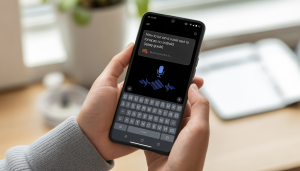
Instead of uploading a file, you simply speak.
ChatGPT listens in real time and converts your speech into text instantly.
This works well for:
It’s fast.
It’s frictionless.
And it removes typing from the equation.
Best for: Creators, entrepreneurs, students, and anyone who thinks faster than they type.
For professionals, developers, or automation-focused workflows, OpenAI’s Whisper model is a highly accurate speech-to-text system.
Whisper is designed specifically for audio transcription and translation.
It supports:
This makes it extremely powerful for:
Developers can integrate Whisper directly into apps, websites, or internal systems allowing automatic transcription at scale.
Best for Businesses, tech teams, and large-scale content workflows.
The honest answer?
It depends.
Transcription accuracy isn’t just about the AI, it’s about the audio quality you provide.
Here are the key factors that affect accuracy:
When the audio is clear, well-recorded, and free from heavy noise, transcription accuracy can exceed 90-95% sometimes even higher.
That’s more than enough for most use cases, including:
However, in noisy environments such as crowded rooms, echo-heavy recordings, or overlapping speakers error rates increase. You may see:
In those cases, light editing is usually required.
Let’s compare.
Traditional tools give you raw text.
ChatGPT gives you usable content.
That’s a big difference.
ChatGPT is an excellent choice when speed, flexibility, and content usability matter more than strict legal formatting.
You should use it if you want:
What makes ChatGPT powerful isn’t just transcription.
It’s what happens after transcription.
Instead of stopping at raw text, you can instantly ask it to:
That’s where it becomes more than a transcription tool.
It becomes a workflow multiplier.
If you create content consistently, transcription and repurposing saves hours every week.
And over time, that compounds.
ChatGPT is a powerful tool. It can transcribe audio quickly, summarize meetings, and turn your voice notes into actionable text in minutes. It’s perfect for productivity, content creation, and brainstorming.
But powerful doesn’t always mean perfect. There are situations where relying solely on ChatGPT or any AI transcription tool can be risky. Understanding when not to use it is just as important as knowing when to use it.
Be cautious if your situation involves:
AI is a tool not a replacement for human expertise. Knowing when and how to use it makes all the difference.
ChatGPT shines when speed, efficiency, and output volume matter more than formal certification.
You’re sitting on hours of audio content.
Podcasts. Interviews. Zoom meetings. Lectures. Voice notes.
All of it contains valuable insights, ideas, and information but right now, it’s locked in audio.
Without action, that content is underutilized. It lives on your device or in the cloud, unseen, unsearchable, and untapped.
Now imagine if that audio could be transformed into usable, shareable content.
It can become:
Audio alone has value. But text unlocks leverage the ability to repurpose, share, and monetize your content.
Picture this: one 45-minute podcast episode could instantly turn into:
Automatically. Effortlessly.
You’re not just transcribing words; you’re creating a content engine.
Every single piece of audio can be transformed into dozens of outputs reaching multiple audiences without extra recording time.
Start using ChatGPT not just as a transcription tool, but as a content multiplier.
That’s where the real leverage lies.
It’s not just about saving time it’s about turning your existing content into maximum impact.
Yes and it’s more powerful than many people realize.
Modern speech-to-text models, including OpenAI’s Whisper, support dozens of languages, such as:
This means you’re not limited to just your native language. You can transcribe audio from interviews, podcasts, lectures, or meetings in almost any major language.
Beyond basic transcription, ChatGPT and advanced models can also:
Imagine recording a conversation in Urdu, Spanish, or Hindi, and getting a ready-to-read English transcript all in one step.
With AI transcription and translation combined, language is no longer a barrier, it’s a bridge.
Getting a great transcript isn’t just about uploading audio it’s about preparation and clear instructions. Follow these tips to maximize accuracy and usability:
AI works best when it knows exactly what you want. For example, instead of simply saying:
“Transcribe this audio.”
Try something more detailed:
“Please transcribe this audio, include speaker labels, add timestamps every 30 seconds, clean up filler words like ‘um’ and ‘uh,’ and format it as a readable transcript.”
Support may vary depending on the platform or integration you’re using, so it’s best to verify format compatibility beforehand.
However, accuracy depends on:
Clear recordings with minimal noise produce significantly better results.
You must first download or extract the audio from the video (using a legal method and respecting copyright rules). Once you have the audio file, you can upload it for transcription.
You simply need to request it. For example:
“Please transcribe this audio and add timestamps every 30 seconds.”
Being specific ensures better formatting.
However, if multiple people speak over each other frequently, speaker identification may require manual review or correction.
Absolutely and this is one of its biggest advantages.
After transcription, you can ask ChatGPT to:
This turns simple transcription into real productivity leverage.
You can request:
“Transcribe this audio and translate it into English.”
This is especially useful for international teams, global creators, and multilingual audiences.
Otter.ai specializes specifically in meeting transcription and live note-taking. ChatGPT, on the other hand, offers broader flexibility including transcription, rewriting, summarization, translation, and content repurposing all in one workflow.
If you want just transcription, specialized tools may be convenient.
If you want transcription plus content transformation, ChatGPT offers more versatility.
However, for highly confidential or regulated environments, always review company policies and compliance requirements first.
Before uploading sensitive or confidential data, always:
For legal, medical, or compliance-sensitive information, certified human-reviewed services may still be safer.
Yes.
But that’s only half the story.
The real power isn’t just transcription.
It’s transformation.
ChatGPT doesn’t simply convert speech into plain text.
It turns raw audio into structured, usable, and scalable assets.
It doesn’t just give you words.
It gives you:
That’s not transcription.
That’s leverage.
If you create content…
If you run meetings…
If you teach…
If you coach…
If you record podcasts…
If you build online assets…
Then you’re already sitting on untapped value.
Every recorded conversation.
Every webinar.
Every voice note.
Every client call.
Is potential content waiting to be unlocked.
Most people think they need to create more to grow.
More posts.
More videos.
More recordings.
But the fastest way to scale in 2026 isn’t producing more.
It’s extracting more value from what you already have.
That one podcast episode?
It can become five articles.
That one Zoom meeting?
It can become documentation, training material, and LinkedIn insights.
That one voice note?
It can become your next newsletter.
Stop letting your audio sit unused.
Upload it.
Transcribe it.
Refine it.
Repurpose it.
Turn voice into visibility.
Turn conversations into content.
Turn recordings into revenue.
Because the real advantage isn’t in creating endlessly.
It’s in converting intelligently.
Start now.
You have audio.
A podcast episode. A client call. A Zoom meeting recording. A lecture from class. A voice note packed with ideas.
And now you need text.
Fast.
Because text is:
Searchable. Editable. Shareable. Publishable. Monetizable.
Audio is powerful
but text is leverage.
So you ask the obvious question:
Can ChatGPT transcribe audio to text?
Short answer?
Yes.
Long answer?
Yes but not in the way most people assume.
Why There’s So Much Confusion
Some people believe ChatGPT can instantly listen to any audio file and produce flawless transcripts.
Others think it can’t handle audio at all.
Both are partially wrong.
The truth sits right in the middle.
ChatGPT can transcribe audio
but the process depends on:
- Which version you’re using
- What tools you have access to
- How you use it
- And what outcome you expect
When used correctly, it becomes more than just a transcription tool.
It becomes a content multiplier.
What You’ll Learn in This Guide
By the end of this article, you’ll clearly understand:
- Whether ChatGPT can truly transcribe audio
- How to convert audio to text using ChatGPT
- What tools or features you actually need
- What level of accuracy to expect
- When ChatGPT is the right solution
- When you should consider alternatives
- And how to turn transcripts into powerful content assets
Can ChatGPT Transcribe Audio to Text?
Yes, ChatGPT can transcribe audio to text when used with the right tools and features.
Here’s what you need to understand:
ChatGPT itself does not magically “listen” to audio files unless you’re using a version that supports file uploads or voice input.
However, when paired with:
- Built-in voice features (in certain plans)
- Audio file upload support
- Speech-to-text models (like OpenAI’s Whisper)
It becomes a powerful transcription engine.
The key is knowing how to use it properly.
How ChatGPT Transcribes Audio (Step-by-Step)
Let’s simplify the entire process.
There isn’t just one way ChatGPT handles audio. Depending on your plan, tools, and technical level, you have multiple options.
Here’s how it works.
Option 1: Upload an Audio File (If Supported)
If your version of ChatGPT allows file uploads, this is the simplest method.
Step-by-Step:
- Upload your audio file (MP3, WAV, M4A, AAC, etc.).
- Type a prompt like: “Please transcribe this audio into text.”
- ChatGPT processes the file and converts speech into written format.
That’s it.
But here’s where it gets powerful:
You can also request advanced formatting and enhancements such as:
- Timestamps
- Speaker labels (Speaker 1, Speaker 2, etc.)
- Clean formatting (removing filler words like “um” and “uh”)
- Verbatim transcription
- Summary + full transcript
- Bullet-point key takeaways
- Translation into another language
- SEO-optimized blog version
This method is ideal for:
- Podcasts
- Zoom meetings
- Interviews
- Academic lectures
- Webinars
- Recorded client calls
Best for: Users who want a simple, direct solution without technical setup.
Option 2: Use Voice Input (Live Speech-to-Text)
Some versions of ChatGPT include built-in voice functionality.
Instead of uploading a file, you simply speak.
ChatGPT listens in real time and converts your speech into text instantly.
This works well for:
- Quick notes
- Brainstorming ideas
- Drafting articles hands-free
- Creating social media content
- Capturing thoughts on the go
It’s fast.
It’s frictionless.
And it removes typing from the equation.
Best for: Creators, entrepreneurs, students, and anyone who thinks faster than they type.
Option 3: Use Whisper API (For Advanced Users & Developers)
For professionals, developers, or automation-focused workflows, OpenAI’s Whisper model is a highly accurate speech-to-text system.
Whisper is designed specifically for audio transcription and translation.
It supports:
- Multiple languages
- Accent recognition
- Background noise handling
- Long-form audio
- Automatic punctuation
- Translation during transcription
This makes it extremely powerful for:
- SaaS platforms
- Automation workflows (Zapier, backend systems, etc.)
- Bulk transcription projects
- Media production pipelines
- Enterprise-level documentation
Developers can integrate Whisper directly into apps, websites, or internal systems allowing automatic transcription at scale.
Best for Businesses, tech teams, and large-scale content workflows.
How Accurate Is ChatGPT for Transcription?
The honest answer?
It depends.
Transcription accuracy isn’t just about the AI, it’s about the audio quality you provide.
Here are the key factors that affect accuracy:
- Audio clarity
- Background noise
- Speaker accents or dialects
- Multiple people speaking at once
- Technical or industry-specific terminology
- Recording device quality
- File compression or distortion
When the audio is clear, well-recorded, and free from heavy noise, transcription accuracy can exceed 90-95% sometimes even higher.
That’s more than enough for most use cases, including:
- Podcasts
- Meetings
- Online classes
- Interviews
- Content creation
However, in noisy environments such as crowded rooms, echo-heavy recordings, or overlapping speakers error rates increase. You may see:
- Misheard words
- Incorrect punctuation
- Misspelled names
- Formatting inconsistencies
In those cases, light editing is usually required.
ChatGPT vs Traditional Transcription Tools
Let’s compare.
| Feature | ChatGPT | Traditional Tools |
| Basic Transcription | Yes | Yes |
| Content Cleanup | Yes | Limited |
| Summarization | Yes | Rare |
| Translation | Yes | Sometimes |
| Formatting Options | Flexible | Basic |
| Cost | Often bundled | Subscription-based |
| Smart Editing | Advanced | Minimal |
Traditional tools give you raw text.
ChatGPT gives you usable content.
That’s a big difference.
When Should You Use ChatGPT for Transcription?
ChatGPT is an excellent choice when speed, flexibility, and content usability matter more than strict legal formatting.
You should use it if you want:
- Fast audio-to-text conversion
- Clean, readable transcripts (not messy raw output)
- Automatic formatting and structure
- Content repurposing
- Blog creation from podcast audio
- Meeting summaries with key takeaways
- Multilingual transcription or translation
- Idea extraction from voice notes
- SEO-ready written content
What makes ChatGPT powerful isn’t just transcription.
It’s what happens after transcription.
Instead of stopping at raw text, you can instantly ask it to:
- Rewrite the transcript into a polished article
- Turn it into social media posts
- Extract quotes or highlights
- Create LinkedIn threads
- Draft newsletters
- Summarize a 1-hour meeting into 5 bullet points
- Convert lecture recordings into study notes
That’s where it becomes more than a transcription tool.
It becomes a workflow multiplier.
It’s Especially Powerful For:
- Content creators turning podcasts into blogs
- Marketers repurposing webinars into email campaigns
- Students converting lectures into structured notes
- Entrepreneurs documenting meetings and ideas
- Coaches recording client sessions and extracting insights
- Agencies handling regular media content
If you create content consistently, transcription and repurposing saves hours every week.
And over time, that compounds.
When Should You NOT Use ChatGPT Alone?
ChatGPT is a powerful tool. It can transcribe audio quickly, summarize meetings, and turn your voice notes into actionable text in minutes. It’s perfect for productivity, content creation, and brainstorming.
But powerful doesn’t always mean perfect. There are situations where relying solely on ChatGPT or any AI transcription tool can be risky. Understanding when not to use it is just as important as knowing when to use it.
Be cautious if your situation involves:
- Legal-grade certified transcription Court proceedings, depositions, or any legal documentation require a level of precision and certification that AI alone cannot provide. A single misheard word could affect case outcomes.
- 100% verbatim court-level accuracy AI may misinterpret words, confuse speakers, or miss subtle nuances. If absolute verbatim accuracy is mandatory, human review is essential.
- Extremely distorted or poor-quality audio Background noise, static, or poor microphone quality can confuse AI. Professionals with experience and context can often interpret challenging recordings better.
- Multiple speakers talking over each other When dialogue overlaps, AI can struggle to distinguish voices, resulting in errors. Humans are much better at untangling overlapping speech.
- Compliance regulations requiring human verification Industries like healthcare, finance, or government may have strict rules (HIPAA, GDPR, court standards, etc.) that demand human oversight. AI alone is rarely sufficient.
- Officially notarized or certified transcripts For transcripts that need legal recognition, an AI transcript cannot replace the certification provided by a licensed professional.
The Smart Approach
AI is a tool not a replacement for human expertise. Knowing when and how to use it makes all the difference.
Use ChatGPT When You Want:
- Speed: Turn hours of audio into text in minutes.
- Productivity: Automate repetitive tasks like meeting notes, lecture summaries, or content drafts.
- Content Leverage: Transform transcripts into blog posts, social media content, newsletters, or marketing materials.
- Scalability: Handle large volumes of audio without hiring a full team of transcribers.
- Creativity Boost: Use AI to brainstorm ideas, generate summaries, or highlight key insights.
ChatGPT shines when speed, efficiency, and output volume matter more than formal certification.
Use Specialized Services When You Need:
- Certification: Official verification for legal, medical, or compliance purposes.
- Legal Protection: Accurate, human-reviewed transcripts that can stand up in court or regulatory audits.
- Guaranteed Precision: Human transcribers catch nuances, context, and overlapping speech that AI might miss.
- Regulatory Compliance: Ensures sensitive information is handled securely according to HIPAA, GDPR, or other industry standards.
- Notarization or Formal Documentation: For situations where official recognition is required.
AIDA Framework: Why This Matters for You
Attention
You’re sitting on hours of audio content.
Podcasts. Interviews. Zoom meetings. Lectures. Voice notes.
All of it contains valuable insights, ideas, and information but right now, it’s locked in audio.
Without action, that content is underutilized. It lives on your device or in the cloud, unseen, unsearchable, and untapped.
Interest
Now imagine if that audio could be transformed into usable, shareable content.
It can become:
- Engaging blog posts that attract readers
- Attention-grabbing social media content
- High-value email newsletters
- SEO-friendly articles that boost traffic
- Comprehensive course material for teaching or training
Audio alone has value. But text unlocks leverage the ability to repurpose, share, and monetize your content.
Desire
Picture this: one 45-minute podcast episode could instantly turn into:
- 3 full-length, well-structured blog posts
- 10 punchy, scroll-stopping tweets
- 5 professional LinkedIn posts
- 1 optimized YouTube video description
- A summarized newsletter for your subscribers
Automatically. Effortlessly.
You’re not just transcribing words; you’re creating a content engine.
Every single piece of audio can be transformed into dozens of outputs reaching multiple audiences without extra recording time.
Action
Start using ChatGPT not just as a transcription tool, but as a content multiplier.
- Transcribe your audio
- Clean up and format the text
- Repurpose it into blogs, posts, or newsletters
- Summarize or highlight key points
- Translate into other languages if needed
That’s where the real leverage lies.
It’s not just about saving time it’s about turning your existing content into maximum impact.
Can ChatGPT Transcribe Audio in Multiple Languages?
Yes and it’s more powerful than many people realize.
Modern speech-to-text models, including OpenAI’s Whisper, support dozens of languages, such as:
- English
- Spanish
- French
- German
- Urdu
- Hindi
- Mandarin
- Portuguese
- Japanese
- And many more
This means you’re not limited to just your native language. You can transcribe audio from interviews, podcasts, lectures, or meetings in almost any major language.
Multilingual Capabilities
Beyond basic transcription, ChatGPT and advanced models can also:
- Translate while transcribing: Convert speech in one language directly into written text in another.
- Convert foreign speech into English text: Perfect for global teams, international interviews, or research.
- Handle multiple speakers with different languages: Useful for bilingual discussions or multilingual podcasts.
Imagine recording a conversation in Urdu, Spanish, or Hindi, and getting a ready-to-read English transcript all in one step.
With AI transcription and translation combined, language is no longer a barrier, it’s a bridge.
How to Get the Best Transcription Results
Getting a great transcript isn’t just about uploading audio it’s about preparation and clear instructions. Follow these tips to maximize accuracy and usability:
Before You Record
- Use clear audio: Make sure your recording is crisp, without distortion. The clearer the sound, the more accurate the transcription.
- Minimize background noise: Turn off fans, TVs, or other distractions. Even subtle background sounds can confuse AI.
- Use a decent microphone: Built-in laptop microphones work, but a quality external mic dramatically improves clarity.
- Speak clearly and at a steady pace: Avoid rushing, mumbling, or trailing off mid-sentence.
- Avoid overlapping conversations: When multiple people speak at the same time, AI may struggle to distinguish voices. Encourage participants to speak one at a time.
During the Transcription Request
AI works best when it knows exactly what you want. For example, instead of simply saying:
“Transcribe this audio.”
Try something more detailed:
“Please transcribe this audio, include speaker labels, add timestamps every 30 seconds, clean up filler words like ‘um’ and ‘uh,’ and format it as a readable transcript.”
Frequently Asked Questions (FAQ)
Q1. Can ChatGPT directly transcribe audio files?
Yes, if you’re using a version that supports file uploads or voice input. In supported versions, you can upload audio files (such as MP3 or WAV) and request a transcription. If you’re using a text-only version without upload capability, you would need to use a speech-to-text tool first and then paste the transcript into ChatGPT for refinement.Q2. Is ChatGPT free for audio transcription?
Some transcription-related features may be available in free plans, particularly voice input in certain apps. However, advanced capabilities like large file uploads, extended usage limits, or professional-grade tools may require a paid plan. Always check your specific plan’s feature list.Q3. What audio formats does ChatGPT support?
Common formats typically include:- MP3
- WAV
- M4A
- AAC
- And other widely used audio formats
Support may vary depending on the platform or integration you’re using, so it’s best to verify format compatibility beforehand.
Q4. How accurate is ChatGPT transcription?
Accuracy can reach up to 90-95% in clear audio conditions.However, accuracy depends on:
- Audio clarity
- Background noise
- Accent and dialect
- Speaker overlap
- Technical terminology
Clear recordings with minimal noise produce significantly better results.
Q5. Can ChatGPT transcribe YouTube videos?
Yes, but not directly from a YouTube link.You must first download or extract the audio from the video (using a legal method and respecting copyright rules). Once you have the audio file, you can upload it for transcription.
Q6. Can it add timestamps?
Yes.You simply need to request it. For example:
“Please transcribe this audio and add timestamps every 30 seconds.”
Being specific ensures better formatting.
Q7. Can it identify multiple speakers?
In many cases, yes especially when the audio is clear and speakers talk one at a time.However, if multiple people speak over each other frequently, speaker identification may require manual review or correction.
Q8. Can ChatGPT summarize audio after transcribing?
Absolutely and this is one of its biggest advantages.
After transcription, you can ask ChatGPT to:
- Summarize key points
- Extract action items
- Highlight important quotes
- Turn it into meeting minutes
- Create a blog-ready version
This turns simple transcription into real productivity leverage.
Q9. Can it translate while transcribing?
Yes.You can request:
“Transcribe this audio and translate it into English.”
This is especially useful for international teams, global creators, and multilingual audiences.
Q10. Is ChatGPT better than Otter.ai?
It depends on your needs.Otter.ai specializes specifically in meeting transcription and live note-taking. ChatGPT, on the other hand, offers broader flexibility including transcription, rewriting, summarization, translation, and content repurposing all in one workflow.
If you want just transcription, specialized tools may be convenient.
If you want transcription plus content transformation, ChatGPT offers more versatility.
Q11. Can businesses use it for meetings?
Yes. Many teams use it for:- Internal meeting summaries
- Documentation
- Brainstorming sessions
- Project notes
- Content repurposing
However, for highly confidential or regulated environments, always review company policies and compliance requirements first.
Q12. Is transcription secure?
Security depends on the platform and plan you’re using.Before uploading sensitive or confidential data, always:
- Review the platform’s privacy policy
- Understand data storage practices
- Confirm compliance with your industry regulations
For legal, medical, or compliance-sensitive information, certified human-reviewed services may still be safer.
Final Verdict: Can ChatGPT Transcribe Audio to Text?
Yes.
But that’s only half the story.
The real power isn’t just transcription.
It’s transformation.
ChatGPT doesn’t simply convert speech into plain text.
It turns raw audio into structured, usable, and scalable assets.
It doesn’t just give you words.
It gives you:
- Structured transcripts ready for publishing
- Clean formatting with speaker labels and timestamps
- Clear summaries for quick understanding
- Action items extracted from meetings
- Content ideas pulled directly from your conversations
- Repurposed marketing material built from a single recording
- SEO-ready blog drafts
- Social media posts generated in seconds
That’s not transcription.
That’s leverage.
If you create content…
If you run meetings…
If you teach…
If you coach…
If you record podcasts…
If you build online assets…
Then you’re already sitting on untapped value.
Every recorded conversation.
Every webinar.
Every voice note.
Every client call.
Is potential content waiting to be unlocked.
Most people think they need to create more to grow.
More posts.
More videos.
More recordings.
But the fastest way to scale in 2026 isn’t producing more.
It’s extracting more value from what you already have.
That one podcast episode?
It can become five articles.
That one Zoom meeting?
It can become documentation, training material, and LinkedIn insights.
That one voice note?
It can become your next newsletter.
Stop letting your audio sit unused.
Upload it.
Transcribe it.
Refine it.
Repurpose it.
Turn voice into visibility.
Turn conversations into content.
Turn recordings into revenue.
Because the real advantage isn’t in creating endlessly.
It’s in converting intelligently.
Start now.