Introduction
Imagine you spend hours creating a great video. You carefully edit it, add music, adjust visuals, and make sure everything looks perfect. But after publishing it, you realize something frustrating, only people who understand your language can fully enjoy it. This means a large global audience is missing out on your content, not because it’s bad, but simply because they can’t understand it.
Now think about how powerful it would be if someone in Spain, Brazil, Turkey, or any other country could watch your video and understand it just like a local viewer. This is where tools like Google Translate for video translation become very useful. They help break language barriers by translating scripts, captions, and text, making your content more accessible to people around the world.
Although Google Translate is not a complete video editing or dubbing tool, it still plays an important role in the video creation process. It helps creators translate their video scripts before recording, convert subtitles into different languages, and understand foreign content for research or inspiration. In this guide, you will learn how video translation works, how Google Translate can support you in this process, and what better professional tools you can use to achieve high-quality, natural-sounding results that truly connect with a global audience.
Google Translate is not a dedicated video editing or professional dubbing tool, but it plays a very important supporting role in multilingual video creation. It helps creators, students, teachers, and professionals make their video content more accessible to a wider and more global audience. One of its main uses is translating video scripts or spoken content into different languages. This makes it easier to rewrite, adapt, or repurpose your videos for viewers from different regions. It is also commonly used to convert subtitles or captions into multiple languages. For example, you can take existing subtitles from a video, translate them using Google Translate, and then use them as a base for your final captions.
Google Translate is also helpful when you need to understand foreign-language videos. If you come across a video in a language you don’t understand, you can translate its transcript, captions, or even description to quickly grasp the main idea. This is especially useful for students, researchers, and content creators who learn from international content.
In addition, it can assist in creating basic multilingual captions. While the translations may not always be perfectly natural or context-aware, they still provide a fast and useful starting point. You can always refine and polish them later to make them sound more professional and human-like.
Today’s internet is truly global, and people from every corner of the world are consuming video content every second. In this kind of digital environment, language can either be a bridge or a barrier. If your video is available in only one language, your reach becomes limited, no matter how valuable your content is.
Translating videos helps you break that barrier and connect with a much larger audience. It allows your message to travel beyond borders and makes your content useful for people who speak different languages.
Benefits of translating videos:
In simple words, video translation is not just about language, it’s about expanding your reach, impact, and opportunities in the global digital world.
Google Translate is not a full video editing or dubbing tool, but it still plays a very useful supporting role in the video translation process. It helps creators, students, and professionals break language barriers and work more efficiently when handling multilingual content. While it doesn’t directly dub or edit videos, it becomes very helpful during the preparation and translation stages of video production.
You can use it for several important tasks:
Google Translate acts like a supporting bridge in the video translation workflow. It doesn’t replace professional dubbing tools, but it makes the entire process easier, faster, and more accessible for beginners and creators.
Many creators spend hours making high-quality videos, but there is one major limitation, only people who understand the original language can watch and enjoy them. This automatically restricts your audience to a small group instead of a global one. Even if your content is valuable, it may not reach the people who actually need it just because of the language barrier.
Now think about what that really means. While your video is performing well in one region, millions of potential viewers from other countries are simply scrolling past it. They can’t understand your message, so they move on.
This leads to:
In short, your content has potential—but the language barrier is holding it back. Over time, this can slow down your channel or brand growth even if your content is actually good.
The good news is that this problem is easy to fix with the right approach. You can use Google Translate along with video editing tools or AI dubbing platforms to convert your content into multiple languages. This allows you to reuse the same video and adapt it for different audiences around the world.
A simple workflow can look like this:
By doing this, you turn a single video into a multilingual asset that works for you in different regions. Instead of limiting your reach, you expand it, unlocking more viewers, more engagement, and more growth opportunities worldwide.
Google Translate is good for basics, but AI tools are better for full video translation.
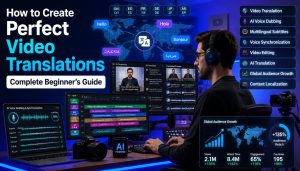
Translating videos doesn’t have to be complicated. If you follow a clear step-by-step process, you can turn a single-language video into a multilingual one without much confusion. The key is to work in an organized flow so each step builds on the previous one.
Start with a clear and simple script for your video. This is the foundation of everything. A well-written script makes translation and dubbing much easier later.
Try to:
A strong script ensures your final video is easy to understand in any language.
Once your script is ready, use Google Translate to convert it into your target language. This step gives you a quick base version of your translation. It may not be perfect, but it saves time and helps you get started faster.
After translation, don’t skip this step. Automated translations often sound unnatural or slightly incorrect. Go through the text and:
This step is very important for making your video sound professional and human-like.
Now it’s time to bring your script to life.
You can either:
Choose the option that best fits your project and audience.
Even if you have dubbing, subtitles are still very important. They help viewers understand better and improve accessibility. Make sure your subtitles:
This improves both engagement and user experience.
Finally, review everything carefully before publishing.
Once everything looks good, export your video and publish it across your platforms.
However, while Google Translate is great for starting out, it does have its limitations. It cannot provide natural-sounding voiceovers, professional dubbing, or full video synchronization. That’s where more advanced tools come in. If your goal is to create high-quality, professional, and globally competitive videos, then AI dubbing and video translation tools are the next step. These tools can give you natural voices, better accuracy, and a more polished viewing experience that feels native to each audience.
Imagine you spend hours creating a great video. You carefully edit it, add music, adjust visuals, and make sure everything looks perfect. But after publishing it, you realize something frustrating, only people who understand your language can fully enjoy it. This means a large global audience is missing out on your content, not because it’s bad, but simply because they can’t understand it.
Now think about how powerful it would be if someone in Spain, Brazil, Turkey, or any other country could watch your video and understand it just like a local viewer. This is where tools like Google Translate for video translation become very useful. They help break language barriers by translating scripts, captions, and text, making your content more accessible to people around the world.
Although Google Translate is not a complete video editing or dubbing tool, it still plays an important role in the video creation process. It helps creators translate their video scripts before recording, convert subtitles into different languages, and understand foreign content for research or inspiration. In this guide, you will learn how video translation works, how Google Translate can support you in this process, and what better professional tools you can use to achieve high-quality, natural-sounding results that truly connect with a global audience.
What is Google Translate for Video?
Google Translate is not a dedicated video editing or professional dubbing tool, but it plays a very important supporting role in multilingual video creation. It helps creators, students, teachers, and professionals make their video content more accessible to a wider and more global audience. One of its main uses is translating video scripts or spoken content into different languages. This makes it easier to rewrite, adapt, or repurpose your videos for viewers from different regions. It is also commonly used to convert subtitles or captions into multiple languages. For example, you can take existing subtitles from a video, translate them using Google Translate, and then use them as a base for your final captions.
Google Translate is also helpful when you need to understand foreign-language videos. If you come across a video in a language you don’t understand, you can translate its transcript, captions, or even description to quickly grasp the main idea. This is especially useful for students, researchers, and content creators who learn from international content.
In addition, it can assist in creating basic multilingual captions. While the translations may not always be perfectly natural or context-aware, they still provide a fast and useful starting point. You can always refine and polish them later to make them sound more professional and human-like.
Why Video Translation Matters
Today’s internet is truly global, and people from every corner of the world are consuming video content every second. In this kind of digital environment, language can either be a bridge or a barrier. If your video is available in only one language, your reach becomes limited, no matter how valuable your content is.
Translating videos helps you break that barrier and connect with a much larger audience. It allows your message to travel beyond borders and makes your content useful for people who speak different languages.
Benefits of translating videos:
- Reach international audiences Your content becomes accessible to viewers from different countries, helping you grow beyond your local region.
- Grow YouTube or social media faster More languages mean more viewers, which can lead to higher subscribers, followers, and faster channel growth.
- Increase watch time and engagement When people understand your content clearly, they are more likely to watch longer and interact with your videos.
- Build a global brand Multilingual content makes you look more professional and helps you establish a strong international presence.
In simple words, video translation is not just about language, it’s about expanding your reach, impact, and opportunities in the global digital world.
How Google Translate Helps in Video Translation
Google Translate is not a full video editing or dubbing tool, but it still plays a very useful supporting role in the video translation process. It helps creators, students, and professionals break language barriers and work more efficiently when handling multilingual content. While it doesn’t directly dub or edit videos, it becomes very helpful during the preparation and translation stages of video production.
You can use it for several important tasks:
- Translating scripts before recording voiceovers Before dubbing a video, you can translate your original script into different languages. This helps you prepare voiceovers in advance and makes the recording process smoother and more organized.
- Converting subtitles (SRT files) Google Translate can help you quickly translate subtitle files from one language to another. This is useful when you want to make your video accessible to a global audience without rewriting everything manually.
- Understanding foreign content for research If you are studying or analyzing videos in other languages, Google Translate helps you understand transcripts, captions, or descriptions. This is especially helpful for learning and content research.
- Creating multi-language captions It can also assist in generating basic captions in different languages. While these may need refinement later, they provide a fast starting point for multilingual content creation.
Google Translate acts like a supporting bridge in the video translation workflow. It doesn’t replace professional dubbing tools, but it makes the entire process easier, faster, and more accessible for beginners and creators.
PAS Framework
Problem
Many creators spend hours making high-quality videos, but there is one major limitation, only people who understand the original language can watch and enjoy them. This automatically restricts your audience to a small group instead of a global one. Even if your content is valuable, it may not reach the people who actually need it just because of the language barrier.
Agitation
Now think about what that really means. While your video is performing well in one region, millions of potential viewers from other countries are simply scrolling past it. They can’t understand your message, so they move on.
This leads to:
- Missed global audience growth
- Fewer subscribers and engagement
- Limited brand visibility
- Reduced earning opportunities
In short, your content has potential—but the language barrier is holding it back. Over time, this can slow down your channel or brand growth even if your content is actually good.
Solution
The good news is that this problem is easy to fix with the right approach. You can use Google Translate along with video editing tools or AI dubbing platforms to convert your content into multiple languages. This allows you to reuse the same video and adapt it for different audiences around the world.
A simple workflow can look like this:
- Translate your script using Google Translate
- Improve and refine the wording for natural flow
- Use AI or human voiceovers for dubbing
- Sync the translated audio with your video
By doing this, you turn a single video into a multilingual asset that works for you in different regions. Instead of limiting your reach, you expand it, unlocking more viewers, more engagement, and more growth opportunities worldwide.
Google Translate vs AI Video Translation Tools
| Feature | Google Translate | AI Video Translation Tools |
| Video dubbing | ❌ No | ✅ Yes |
| Subtitle translation | ✅ Yes | ✅ Yes |
| Voice cloning | ❌ No | ✅ Yes |
| Accuracy in speech | Medium | High |
| Ease of use | Easy | Very easy |
| Professional results | Basic | Advanced |
Best Way to Translate Videos (Simple Workflow)
Translating videos doesn’t have to be complicated. If you follow a clear step-by-step process, you can turn a single-language video into a multilingual one without much confusion. The key is to work in an organized flow so each step builds on the previous one.
1. Write Your Video Script
Start with a clear and simple script for your video. This is the foundation of everything. A well-written script makes translation and dubbing much easier later.
Try to:
- Use short sentences
- Avoid complex wording
- Keep the message clear and direct
A strong script ensures your final video is easy to understand in any language.
2. Translate Script Using Google Translate
Once your script is ready, use Google Translate to convert it into your target language. This step gives you a quick base version of your translation. It may not be perfect, but it saves time and helps you get started faster.
3. Fix Grammar Manually
After translation, don’t skip this step. Automated translations often sound unnatural or slightly incorrect. Go through the text and:
- Correct grammar mistakes
- Adjust awkward sentences
- Make sure it sounds natural when spoken
This step is very important for making your video sound professional and human-like.
4. Use AI Dubbing Tool or Record Voiceover
Now it’s time to bring your script to life.
You can either:
- Use an AI dubbing tool for fast and scalable voice generation
- Or record a human voiceover for a more natural and expressive feel
Choose the option that best fits your project and audience.
5. Add Translated Subtitles
Even if you have dubbing, subtitles are still very important. They help viewers understand better and improve accessibility. Make sure your subtitles:
- Match the spoken audio
- Are properly timed with the video
- Are easy to read on screen
This improves both engagement and user experience.
6. Export and Publish
Finally, review everything carefully before publishing.
- Watch the full video
- Check audio and subtitle sync
- Make sure everything flows smoothly
Once everything looks good, export your video and publish it across your platforms.
FAQs About Google Translate for Video
1. Can Google Translate directly translate videos?
No, Google Translate cannot directly translate or dub full videos. It does not process video files or replace audio. Instead, it works with text like scripts, captions, and subtitles that you extract from a video.2. Can I use it for subtitles?
Yes, you can use Google Translate to translate subtitle files such as SRT or TXT formats. This makes it easier to create multilingual captions for your videos, although you may still need to adjust timing and phrasing manually.3. Is Google Translate accurate for video scripts?
It is generally accurate for basic understanding, but not always perfect. Some sentences may sound unnatural or too literal, so it is always recommended to review and refine the translated script manually before using it for voiceover or dubbing.4. Can it help with YouTube videos?
Yes, Google Translate is commonly used for YouTube content, especially for translating video titles, descriptions, scripts, and subtitles. This helps creators reach a wider international audience and improve discoverability.5. Does it support voice dubbing?
No, Google Translate does not support voice dubbing. It only works with text. For dubbing, you will need AI voice tools or manual recording software.6. What is the best use of Google Translate in videos?
The best use of Google Translate in video production is translating scripts and subtitles. It acts as a starting point that helps you quickly convert content into another language before refining it for final production.7. Are AI tools better than Google Translate for videos?
Yes, in most cases AI tools are more advanced for video work. They offer features like voice dubbing, natural-sounding AI voices, and automatic syncing, while Google Translate only handles text translation.8. Can beginners use Google Translate for video work?
Absolutely. Google Translate is very simple and beginner-friendly. Even someone with no technical experience can use it to translate scripts and subtitles quickly.9. Is it free to use?
Yes, Google Translate is completely free. You can use it anytime without any subscription or payment, which makes it very useful for beginners and small creators.10. Can I grow my channel using translated videos?
Yes, translating your videos can significantly help your growth. By creating multilingual content, you can reach international audiences, increase watch time, and attract more subscribers from different regions.Conclusion
Google Translate is a powerful and easy starting tool for anyone who wants to work with video translation. It is especially useful for beginners who are just getting into content creation or multilingual video editing. With it, you can quickly understand different languages, translate video scripts, and generate subtitles without any complex setup. It helps remove the first big barrier language by giving you a simple way to convert text from one language to another. This makes the early stages of video translation much faster, easier, and more accessible for everyone.However, while Google Translate is great for starting out, it does have its limitations. It cannot provide natural-sounding voiceovers, professional dubbing, or full video synchronization. That’s where more advanced tools come in. If your goal is to create high-quality, professional, and globally competitive videos, then AI dubbing and video translation tools are the next step. These tools can give you natural voices, better accuracy, and a more polished viewing experience that feels native to each audience.